
If your SaaS blog ships two posts a month, your problem usually is not “SEO.” It’s the pipeline. Topics stall, drafts pile up, edits drag, and publishing slips until “content” becomes a quarterly scramble. That’s why the market has split into two camps: Surfer SEO, which tightens up pages humans are already writing, and autonomous SEO agents like Balzac, which try to run the full machine.
Surfer SEO earns its keep when you have writers (in-house, freelance, or agency) and you want repeatable on-page execution. It looks at what’s ranking for a query and turns those patterns into guidance inside a Content Editor—terms to cover, structure to consider, gaps to fix. You still own the brief, the claims, the voice, and the final call on what goes live.
An autonomous SEO agent takes a different bet: the bottleneck is human time, so the software should handle discovery, drafting, optimization, and publishing on a cadence. Balzac is built for that end-to-end loop. You give it guardrails (site, audience, products, exclusions, tone), then it keeps producing and pushing drafts to your CMS while humans focus on review, risk, and direction.
Where Optimization Ends and Autonomy Begins
- Output: Surfer SEO produces recommendations for a draft. Autonomous SEO agents produce drafts intended to be published.
- Work required: Surfer SEO assumes active writing and editing. Autonomous SEO agents shift effort toward QA, approvals, and governance.
- Publishing: Surfer SEO stops before the CMS. Autonomous SEO agents typically include scheduling and publishing.
The overlap is real—search intent, topical coverage, on-page structure—but the difference is operational. This guide explains where Surfer SEO fits, where an agent like Balzac fits, and how teams combine them when they want speed without losing control.
Balzac: How an Autonomous SEO Agent Runs Content End to End
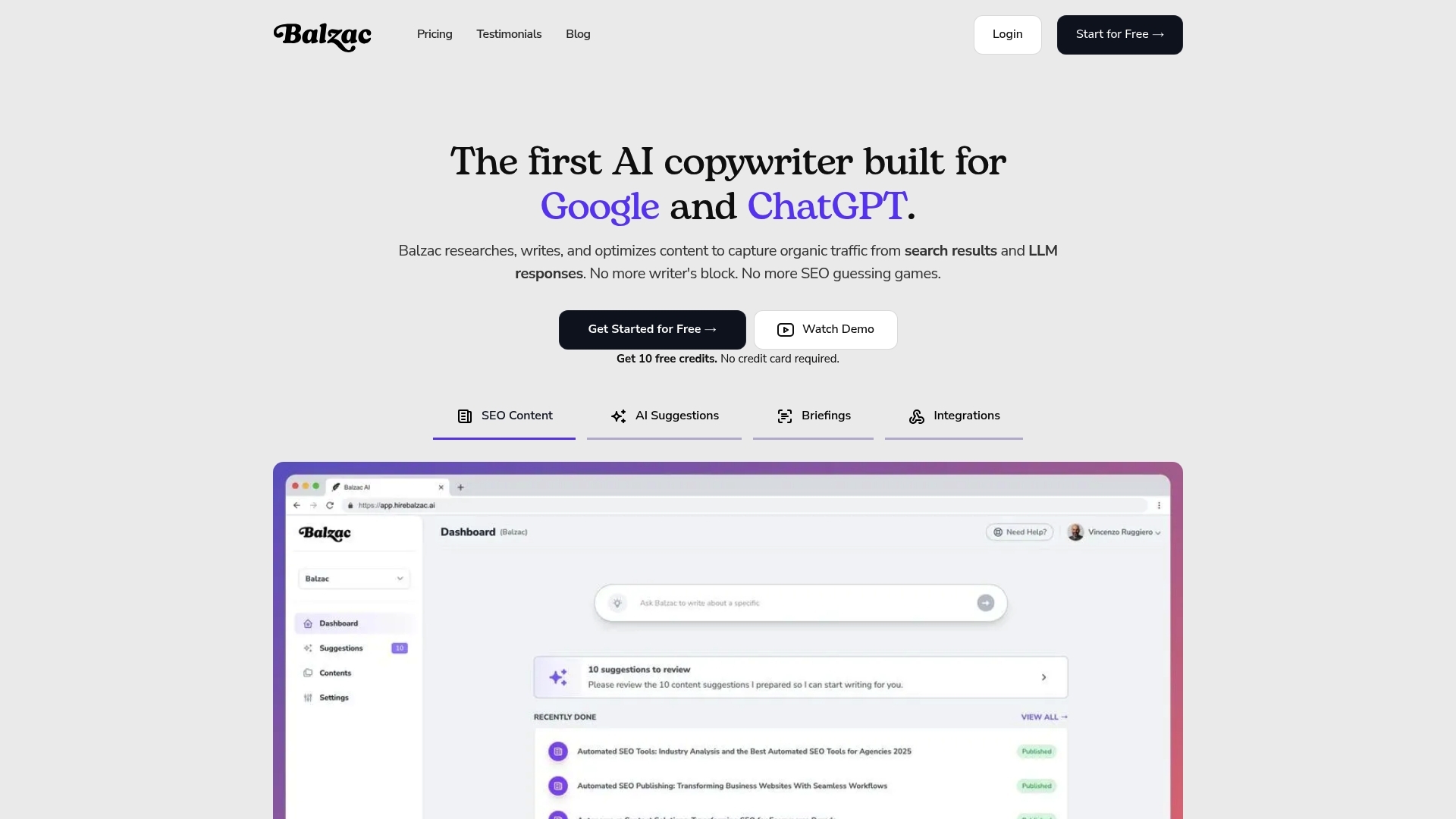
Where Surfer SEO typically improves a draft you already planned and wrote, Balzac aims to run the whole loop with minimal human touch. Think of it as an autonomous SEO agent that treats content as an ongoing system: it finds opportunities, produces articles, optimizes on-page elements, then publishes to your CMS on a schedule.
Balzac’s end-to-end loop usually looks like this:
- Discover: The agent scans competitor sites and SERP patterns to propose topics that match your product and audience. In practice, teams point it at a domain set (your site plus competitors) and a niche, then review the topic queue for obvious mismatches.
- Draft: It generates an article with a target query, intent-aligned outline, headings, and supporting sections. This stage is where brand voice and product accuracy can drift if you do not provide examples, positioning notes, and forbidden claims.
- Optimize: It applies on-page SEO checks such as title and H1 alignment, internal linking suggestions, keyword coverage, and basic structure (scannable sections, FAQs when appropriate). This overlaps with what Surfer SEO users do in a content editor, but the agent applies it automatically instead of asking a writer to iterate.
- Publish: It pushes the post to a CMS (for example, WordPress) with metadata, categories, and a draft or live status, depending on your settings. Publishing is the operational line where autonomous agents differ most from optimization tools.
Where Humans Add Guardrails
Autonomy saves time, but SaaS teams still add checkpoints because search traffic punishes weak pages. The most common guardrails are simple and repeatable.
- Topic approval rules: Reject topics that miss your ICP, conflict with legal, or target irrelevant intent (for example, “free template” queries for an enterprise product).
- Brand voice inputs: Provide a style guide, example posts, and “do not say” phrases. This prevents generic copy and unsupported product claims.
- Factual verification: Require citations for stats, feature claims, and comparisons. Many teams route drafts through a human editor and tools like Grammarly for clarity and a product owner for accuracy.
- Publishing controls: Start with “publish as draft,” then move to auto-publish after you trust the outputs and internal links.
The practical trade is clear: Balzac reduces the labor of turning strategy into steady publishing, while you keep humans focused on strategy, review, and brand risk.
Surfer SEO: Where It Fits in a Modern SaaS Content Workflow
Surfer SEO fits best when humans still own strategy, writing, and editorial calls, but they want faster, more consistent on-page optimization. In a modern SaaS content workflow, Surfer SEO usually sits between keyword selection and final edit. It translates what ranks in Google for a query into specific guidance a writer can apply while drafting.
Think of Surfer SEO as an optimization layer that standardizes execution across writers. A content lead can set direction, then use Surfer SEO to reduce variance in structure, topical coverage, and basic on-page signals from one article to the next.
Surfer SEO’s Core Workflow in Practice
Most teams use Surfer SEO in a repeatable loop:
- Pick a target query and intent: You still decide the keyword, angle, and audience. Surfer SEO does not choose your roadmap.
- Analyze the SERP: Surfer SEO looks at the current top-ranking pages and derives patterns, such as common subtopics and terms that appear across winners.
- Build an outline: Teams use Surfer SEO’s outline and keyword suggestions to shape headings, sections, and expected coverage before anyone writes.
- Draft in Content Editor: Writers work inside Surfer SEO’s Content Editor, which scores content against the SERP-based recommendations (terms, structure, length guidance, and related topics).
- Export and publish: A human still moves the final draft into Webflow, WordPress, HubSpot, or another CMS, then handles formatting, internal links, and approvals.
That last handoff matters. Surfer SEO improves the draft, but it does not run your publishing cadence or push posts live. Teams that struggle with throughput often feel the bottleneck shift from “how do we optimize” to “who is writing, editing, and shipping this week?”
Surfer SEO also assumes you bring your own quality controls. Editorial review, brand voice consistency, product accuracy, and legal checks stay outside the tool. Many SaaS orgs pair Surfer SEO with Google Docs for collaboration, Grammarly for style cleanup, and a fact-check step before the CMS upload.
When you want Surfer-style SERP guidance but need content produced and published continuously, that is where an autonomous agent like Balzac typically enters the workflow.
How Do Surfer SEO Collaboration and Role Permissions Work for Teams?
Once content production becomes continuous, Surfer SEO stops being “a tool a writer uses” and starts being a shared workspace. Surfer SEO collaboration matters because SaaS publishing involves handoffs: SEO sets intent, writers draft, editors tighten, product or legal verifies claims, and someone owns final publish decisions.
Surfer SEO handles collaboration mainly through shared projects, shareable Content Editor links, and controlled access to workspaces. It is not a full editorial system like Asana or Jira, and it is not a CMS like WordPress. Teams usually pair Surfer SEO with those systems for approvals and publishing.
How Surfer SEO Permissions Map to Real Team Roles
Surfer SEO role permissions are simplest when you treat Surfer SEO as the optimization layer, then keep governance elsewhere. A typical SaaS mapping looks like this:
- SEO lead: creates projects, defines target queries, sets Content Editor guidelines, reviews on-page coverage and internal linking opportunities.
- Writer: works inside Surfer SEO Content Editor, follows the outline and terms guidance, iterates until the draft meets the agreed optimization target.
- Editor: checks structure, clarity, and SERP fit, then flags over-optimization (keyword repetition, awkward headings, filler sections).
- Subject-matter reviewer (product, solutions engineer, legal): verifies feature claims, pricing statements, security language (SOC 2, GDPR), and competitor comparisons.
- Publisher: moves the final copy into the CMS, adds images, schema, and CTAs, then schedules the post.
In practice, teams use Surfer SEO sharing to keep everyone working from the same on-page spec. The writer does not need to interpret a messy Google Doc comment thread to understand what “optimize it” means. The SEO lead can point to specific gaps such as missing entities, thin sections, or misaligned headings.
The operational limitation is clear: Surfer SEO does not enforce multi-step approvals or publish gates by itself. If you need strict review flows, versioning, and audit trails, run approvals in Google Docs or Notion, track status in Asana, Trello, or Jira, then use Surfer SEO as the place where the draft meets the SERP-based requirements.
This is also where autonomous agents change the team shape. A system like Balzac can draft and push to WordPress as “draft,” then your Surfer SEO workflow becomes a QA pass on the output instead of a writer-led iteration loop.
Surfer SEO Content Editor vs Manual Editing: When It Actually Wins
When Surfer SEO becomes the “QA pass” on drafts coming from writers or an autonomous agent, the question changes. You stop asking whether the Surfer SEO Content Editor is helpful and start asking when it beats manual editing, and when humans must ignore the score and edit anyway.
Use Surfer SEO Content Editor when the work is primarily SERP pattern matching. Skip it when the work is primarily truth, positioning, and persuasion.
- Surfer wins when you target a stable query with clear intent (for example, “SOC 2 checklist” or “customer onboarding best practices”) and you need consistent coverage across many posts.
- Manual wins when the page depends on unique product claims, legal nuance, or opinionated differentiation that competitors do not state.
Decision Rules That Hold Up in Real SaaS Workflows
Pick Surfer SEO Content Editor first when you see these conditions:
- You want predictable on-page coverage. Surfer’s term and topic suggestions help writers include the basics Google already rewards for that query.
- You manage multiple writers or sites. A shared SERP-driven checklist reduces variance between authors and reduces editorial back-and-forth.
- You are refreshing old posts. For content updates, Surfer SEO gives fast guidance on what the current top results emphasize.
- You need a fast sanity check on AI drafts. If Balzac (or another generator) produces a draft, Surfer SEO can flag obvious gaps in headings and topical coverage before a human spends time polishing.
Manual editing stays non-negotiable in these cases:
- Factual accuracy and citations. Surfer SEO does not verify claims, pricing, security features, or compliance statements. A human must validate these against sources and internal docs.
- Brand voice and positioning. A high Surfer score can still read generic. Editors need to enforce vocabulary, point of view, and product narrative.
- Conversion intent. Surfer SEO optimizes for rankings signals, not for demo requests, trial starts, or pipeline. Humans must rewrite intros, CTAs, and proof sections.
- Internal linking strategy. Surfer SEO can suggest terms, but your team owns which pages to link, anchor text, and hub structure.
A practical rule: treat Surfer SEO’s score as a minimum coverage bar, then edit manually for accuracy and differentiation. If you reverse that order, teams waste time chasing a number while shipping pages that sound like everyone else.
Surfer SEO Entity Features, Supported Languages, and Reporting: What You Really Get
Chasing a Surfer SEO score can push teams into “write for the checklist” behavior. Entity guidance and reporting are where that temptation shows up most, because the UI can make semantic coverage look like a measurable finish line. Used correctly, these features help you avoid obvious topical gaps. Used blindly, they produce pages that read like stitched SERP averages.
Entity and semantic guidance in Surfer SEO is essentially SERP-derived term and topic coverage. Surfer SEO analyzes top-ranking pages for a query and suggests related terms, headings, and sections that frequently co-occur on winners. In practical SaaS writing, that helps with:
- Topical completeness: you remember the “must-answer” sub-questions Google users expect.
- Intent alignment: you match the dominant format (definition, comparison, how-to) before you add your angle.
- Internal consistency: multiple writers cover the same core concepts across a cluster.
Entity guidance does not verify facts. If Surfer SEO suggests “SOC 2,” “GDPR,” or “HIPAA,” it means those terms appear on ranking pages, not that they apply to your product. Treat entity suggestions as prompts for either (1) a verified section, or (2) a deliberate exclusion.
Supported Languages: What “Works” Actually Means
Surfer SEO supports optimizing content in multiple languages, but teams should define “works” as “the SERP sample reflects the market you publish into.” Language support breaks down when the query returns mixed-language results, thin local SERPs, or heavy aggregator pages. Before you standardize a workflow, run a small test set per language: 5 to 10 queries, one draft each, then check whether Surfer SEO’s recommendations match real competitor pages in that locale.
If you publish in languages with distinct regional variants (for example, Spanish for Spain vs Mexico), keep separate query sets and avoid reusing the same term targets across regions. Google’s SERPs differ by country, and Surfer SEO’s guidance follows the SERP it analyzes.
Reporting in Surfer SEO can show optimization scores, term coverage, and on-page changes over time. It cannot prove causality. Rankings move because of competition, links, site quality, and Google updates. Use Surfer SEO reporting as execution QA, then use Google Search Console for performance (queries, impressions, clicks) and Google Analytics 4 for outcomes (signups, demo requests, activation).
Surfer SEO for Agencies and Multi-Client Setups: What Breaks First?
Google Search Console and Google Analytics 4 tell you what happened. In an agency, the painful part is making sure every client gets the same execution discipline. Surfer SEO can standardize on-page work across accounts, but multi-client operations expose four failures fast: access control, QA drift, template sprawl, and scaling bottlenecks.
Surfer SEO breaks first when agencies treat it like a shared “one workspace” tool. Client separation matters because writers, contractors, and clients need different visibility. Without clear boundaries, editors lose time policing who can see which Content Editors, and clients start requesting access changes mid-sprint.
What Breaks First in Multi-Client Surfer SEO Work
- Access and ownership: Agencies cycle freelancers and client stakeholders constantly. If you do not assign a single internal owner per client project, Content Editors get duplicated, renamed inconsistently, and abandoned.
- QA drift across writers: One writer chases Surfer’s score. Another ignores it. A third overuses recommended terms and produces unreadable copy. The result is uneven quality that clients notice immediately.
- Template sprawl: Agencies create different outlines, brief formats, and “optimization targets” per strategist. That feels flexible, then it becomes impossible to audit. New hires cannot tell what “done” means.
- Scaling across sites and niches: Surfer’s SERP-driven guidance is query-specific. Agencies that try to reuse one checklist across industries end up with briefs that miss intent, entities, and compliance needs (health, finance, security).
- Handoff friction to the CMS: Surfer SEO stops before publishing. Agencies still spend time on WordPress formatting, internal links, image sourcing, and client approvals in tools like Asana, Trello, or Google Docs.
Agencies usually patch these issues with process, not features. They set a per-client naming convention, lock a single brief template in Notion, and define a score range that signals “ready for editorial.” They also add a mandatory human check for product claims, pricing, and regulated language.
When publishing becomes the bottleneck, some agencies shift production to autonomous agents such as Balzac. They route outputs into Surfer SEO as a QA layer, then push to WordPress as drafts for final review. That setup keeps Surfer SEO’s SERP guidance while reducing the manual work that multi-client scaling exposes.
Surfer SEO vs Balzac Comparison 2025: Automation, Quality, and Scale
Teams usually end up with a hybrid: Surfer SEO as the optimization checklist, and an agent like Balzac as the production engine. The decision comes down to how much of the pipeline you want software to run. Surfer SEO improves drafts you already plan and write. Balzac aims to discover topics, draft, optimize, and publish on a cadence.
| Criteria | Surfer SEO | Balzac (Autonomous SEO Agent) |
|---|---|---|
| Automation Level | Optimization layer for human-written drafts | End-to-end loop (discover → draft → optimize → publish) |
| Human Time Required | High: keyword choice, writing, editing, publishing | Lower: guardrails, review, approvals, spot checks |
| Content Velocity | Limited by writer and editor capacity | Designed for continuous output (24/7 operation) |
| CMS Publishing | No native “run my calendar” publishing, you export and upload | Can publish to a CMS (commonly WordPress) as draft or live |
| Multi-Site Scaling | Scales via more editors, writers, and process discipline | Scales via more sites and guardrails, humans focus on governance |
| Quality Controls | Strong on SERP-based coverage, weak on factual truth | Varies by inputs, needs editorial gates for accuracy and voice |
| Strategic Inputs Needed | SEO lead defines roadmap and briefs, Surfer SEO guides execution | You define niche, competitors, exclusions, voice, and publish rules |
| Typical Outcomes | More consistent on-page optimization across writers | More consistent publishing cadence, faster path to topical coverage |
What The Comparison Means In Practice
The Surfer SEO vs balzac comparison 2025 usually ends in a simple operational choice. If your bottleneck is “our drafts do not match what ranks,” Surfer SEO fits. If your bottleneck is “we cannot ship enough pages,” Balzac fits.
Many SaaS teams combine them: Balzac generates and pushes posts to WordPress as drafts, then an editor runs a Surfer SEO Content Editor pass to catch missing subtopics, overstuffed terms, and weak headings before final approval. That workflow keeps SERP-driven guidance while moving human time from writing to review.
Which Tool Should You Choose for Your Scenario?
The right choice depends on where your bottleneck sits. If writing and publishing capacity is the constraint, pick an autonomous agent. If you already ship drafts and need consistent on-page execution, Surfer SEO usually fits better as the optimization layer.
Use this scenario picker as a fast filter:
- Solo creator (1 site, limited hours): Choose Balzac if you need steady output without hiring. Choose Surfer SEO if you enjoy writing and want SERP-based guidance to tighten structure, headings, and term coverage.
- Small business without writers: Balzac fits when the goal is to publish every week without building a content team. Keep humans for topic exclusions, product accuracy, and final approvals (start with “publish as draft” in WordPress).
- In-house SaaS marketing team (writers + editor): Surfer SEO fits when you want a shared standard for optimization across multiple authors and refresh cycles. Add an autonomous agent when the team has a roadmap but cannot hit volume targets.
- Agency managing multiple clients: Surfer SEO helps standardize on-page QA across writers, but agencies still pay the “CMS handoff tax” in WordPress and client approvals. Balzac fits when the agency wants higher article velocity per account and can enforce a repeatable review checklist before anything goes live.
- Ecommerce content team (collections, category pages, blog): Surfer SEO fits for optimizing high-intent guides and category-support content where merchandising and internal links matter. Balzac fits for long-tail informational posts that support discovery, as long as a human owns product details, policies, and seasonal changes.
- Niche publisher (many sites or many clusters): Balzac fits when you need continuous topic discovery and publishing across a portfolio. Use Surfer SEO selectively as a QA pass on the highest-value pages, refresh targets, and money keywords.
Two Common Setups That Work
Surfer SEO-first workflow: SEO lead picks keywords, writers draft in Surfer SEO Content Editor, editor polishes, publisher ships to Webflow or WordPress.
Autonomous-first workflow: Balzac discovers topics, drafts, optimizes, and pushes to WordPress as drafts. A human editor runs a Surfer SEO pass on priority posts, then approves publishing.
What Metrics Prove Your SEO Automation Is Working?
When Balzac pushes WordPress drafts and an editor runs a Surfer SEO pass on priority posts, the only question that matters is performance. Surfer SEO can tell you whether a draft matches SERP patterns. Your analytics stack must tell you whether automation produces traffic and revenue outcomes without bloating costs.
Track SEO automation like an operations system. You want speed, volume, search visibility, and business impact, with enough QA signals to catch failure early.
- Time-to-publish: Measure days from “topic approved” to “live.” Track it in Asana, Jira, or Notion with a required publish date field. If you cannot cut cycle time, automation is not changing the constraint.
- Articles per month: Count posts published per site per month from your CMS (WordPress, Webflow, HubSpot). Separate “new” from “refresh” so you do not confuse output with maintenance.
- Ranking movement for target queries: Track positions weekly for your primary keyword set in Google Search Console (free) and a rank tracker like Ahrefs (SEO suite) or Semrush (SEO and PPC platform). Focus on distribution shifts (how many terms moved into top 3, top 10, top 20), not single-keyword wins.
- Impressions and clicks: Use Google Search Console Performance reports to see whether Google increases exposure before clicks rise. Rising impressions with flat clicks usually means title tags, meta descriptions, or intent alignment needs work.
- Conversions from organic: Define one primary conversion (trial start, demo request, signup) in Google Analytics 4. Use UTMs for non-organic campaigns so organic attribution stays clean, then compare organic conversion rate across content cohorts (human-written vs agent-assisted).
- Content refresh cadence: Track the median “days since last update” for pages that drive organic signups. A simple spreadsheet works, or pull last-modified dates from your CMS and schedule refresh sprints quarterly.
- Cost per published article: Include software fees, editor hours, subject-matter review time, and design time. Divide by live posts per month. This metric exposes the common failure mode where “automated writing” still requires heavy human cleanup.
Set A Baseline, Then Run A 30-Day Test
Pick 20 to 30 topics, publish them with your chosen workflow, then review the metrics above in Google Search Console and Google Analytics 4. Keep Surfer SEO scores as a QA check, not the success metric. If time-to-publish drops and impressions rise without cost per article spiking, you have a system worth scaling next month.