
AI writing tools are software apps that use machine learning to draft, edit, and optimize text for a specific goal, like ranking for a keyword, answering a reader question, or describing a product. People use them to turn a rough idea or brief into publishable content faster than writing from scratch.
What “Automated Content Creation” Means
Automated content creation means you set inputs and rules, and the tool produces content with little manual work. In practice, you provide a topic, audience, and constraints, then the system generates an outline and a draft, applies on page SEO suggestions, and sometimes publishes the post to your site. The automation can be partial (you edit and post) or full (the tool handles end to end production).
What AI Writing Tools Typically Do
Most AI writing tools focus on repeatable writing tasks that teams need every week. Common functions include:
- Drafting blog posts, landing pages, emails, and product descriptions
- Rewriting content for clarity, tone, and length
- SEO support like keyword placement, headings, and internal structure
- Content planning with topic ideas and outlines
Who Uses Them and Why
Bloggers use AI writing tools to publish consistently without spending hours on each draft. Businesses use them to scale content production across many pages and products while keeping style and formatting consistent.
Tools vary from general writing assistants like ChatGPT (OpenAI) to SEO focused platforms like Jasper, Surfer SEO, and Clearscope. Some products act more like autonomous agents, for example Balzac, which can generate SEO optimized posts and publish them to major CMS platforms after you set your site details and preferences.
How AI Writing Tools Work (From Brief to Published Post)
AI writing tools follow a predictable workflow. You give a brief and constraints, the system turns them into an outline, then a draft, then an SEO ready post, and finally pushes it to your CMS. The best results come when you define who the reader is, what the page should rank for, and what the post must include or avoid.
Workflow Step 1: Topic Selection and Keyword Targets
Most tools start with topic discovery. They pull ideas from your seed keywords, your existing pages, and search results. A practical output looks like a list of topics with an estimated intent such as informational or commercial, plus primary and secondary keywords.
- Inputs: seed topics, audience, location, product category, competitor domains.
- Common helpers: Google Search, Google Trends, Google Search Console, Ahrefs, Semrush.
Workflow Step 2: Briefing and Outline Creation
The tool turns the target query into an outline that matches what searchers expect. It typically maps headings to subtopics found in top ranking pages, then proposes questions to answer and sections to include.
- Brief basics: primary keyword, search intent, target reader, angle, sources you trust.
- Constraints: brand voice notes, banned claims, required products, compliance rules.
Workflow Step 3: Drafting the Article
The model writes section by section using the outline. Good tools keep structure stable, avoid repetition, and produce scannable formatting. You still need to review claims because an AI can state false details with confidence.
If you use an autonomous agent like Balzac, it can draft with SEO context already applied, so you spend less time reworking headings and on page structure.
Workflow Step 4: SEO and Quality Optimization
Optimization usually means on page SEO, readability, and internal consistency. Some tools compare your draft to competing pages and suggest missing entities, questions, and definitions.
- On page: title tag ideas, meta description, header hierarchy, keyword placement.
- Coverage: related entities, subtopics, People Also Ask style questions.
- Trust: add citations, remove unsupported numbers, flag medical or legal claims.
Workflow Step 5: Editing, Approval, and Publishing
Publishing involves formatting, images, and CMS settings. Many teams add a human approval gate for sensitive pages. Tools that integrate with WordPress or Webflow can publish drafts automatically, set categories and tags, and schedule posts. This last step matters because publishing speed often decides whether your content plan stays consistent.
What to Look for in AI Writing Tools (Features Checklist)
Most AI writing tools can produce a draft, but the best ones help you plan, optimize, and publish with clear controls. Use this checklist to evaluate tools before you commit time, money, and content quality to a platform.
SEO Optimization That Matches How Search Works
A useful AI writer does more than insert keywords. It supports search intent and on page structure so the page answers real queries clearly.
- Keyword and intent support: primary keyword, related terms, and questions people ask.
- On page structure: headings, table of contents support, internal linking suggestions, and clean paragraph formatting.
- Snippet readiness: short definitions, lists, and direct answers that fit featured snippets and AI answers.
- Content refresh help: identify outdated sections and propose updates.
Competitor Analysis and Topic Discovery
Competitor analysis matters because it shows what already ranks and what gaps you can cover with original, useful content. Look for tools that can:
- Extract common headings and subtopics from top ranking pages for a keyword.
- Suggest content angles based on gaps, for example missing FAQs, weak examples, or outdated stats.
- Support programmatic planning, for example a list of related pages to build a cluster.
Some SEO platforms such as Ahrefs (an SEO tool) and Semrush (an SEO suite) excel at research, while some autonomous agents such as Balzac include competitor informed topic generation inside the writing workflow.
Brand Voice and Style Controls
Brand voice controls reduce editing time and keep a site consistent across many authors, pages, or languages. Prioritize:
- Style guides: tone rules, banned phrases, formatting conventions, and audience level.
- Reusable templates: intros, product sections, comparison layouts, and CTAs that follow your rules.
- Terminology enforcement: preferred product names and standard definitions.
Factuality Controls and Source Handling
AI can invent details, so you need guardrails for accuracy. Strong tools provide:
- Claim highlighting, so editors can review risky sentences fast.
- Optional citations or source links when the tool uses web research.
- Rules that block unsupported numbers, medical advice, or legal claims.
Set a policy: any statistic, quote, or time sensitive claim must link to a primary or high authority source, for example Google Search guidance on helpful content.
CMS Integrations and Publishing Automation
If publishing stays manual, scaling content stays hard. Check for real integrations with your stack:
- WordPress, Webflow, Shopify, or headless CMS support, plus drafts, tags, and categories.
- Image handling, alt text generation, and metadata fields like title tags and meta descriptions.
- Approval workflows, scheduling, and audit logs for teams.
AI Writing Tools vs Traditional Writing: When Each Wins
AI writing tools win when you need speed and scale. Traditional writing wins when you need original reporting, deep expertise, or a sensitive tone. Most teams get the best results by combining both: AI for first drafts and production, humans for review, facts, and final judgment.
Speed, Cost, Quality, Risk, and Scalability Compared
Factor
AI Writing Tools
Traditional Writing
Speed
Fast drafts in minutes, faster updates and formatting with repeatable workflows.
Slower, especially for research heavy pieces and multi round edits.
Cost
Lower marginal cost per page, best for large content backlogs.
Higher per page cost, but strong ROI for flagship pieces.
Quality
Strong structure and clarity, weaker on fresh insights without guidance.
Best for original thought, narrative, interviews, and domain nuance.
Risk
Can produce incorrect claims or invented details, needs review and sources.
Lower hallucination risk, but still error prone without fact checking.
Scalability
Scales to hundreds of pages if you standardize briefs and templates.
Hard to scale without adding writers, editors, and project management.
When AI Writing Tools Win
Use AI when the task is repeatable and the quality bar comes from structure, coverage, and consistency.
- SEO blog production where you already know the target query and intent
- Content refreshes, rewrites, and internal linking improvements
- Product descriptions and category pages with clear inputs
- Programmatic SEO pages that follow a stable format
- Publishing workflows where CMS integration saves time (WordPress, Webflow)
When Traditional Writing Wins
Use human writers when you need new information, a credible point of view, or careful judgment.
- Original research, interviews, and on site reporting
- Medical, legal, and finance topics where errors create real harm
- Thought leadership that depends on lived experience and opinion
- Brand voice work that requires high emotional precision
A Practical Hybrid Workflow
A simple pattern works for most teams: AI generates the outline and draft, a human verifies facts, adds sources, and approves publishing. Tools that act as agents, such as Balzac, also handle competitor based outlining and automated publishing, which helps when throughput matters more than hand crafted prose.
Top Benefits of AI Writing Tools for SEO Content
AI writing tools help SEO teams publish more content with less manual work. The measurable upside comes from cycle time, cost per published page, and process consistency, not from a guarantee that every page will rank.
Time Savings You Can Measure
AI speeds up the parts of SEO writing that usually take the longest, research, outlining, and first drafts. Teams often track this as hours per article or time from brief to publish. A realistic goal is to cut the draft and restructure phase from hours to minutes, then spend human time on accuracy, examples, and final editing.
Tools with CMS integrations also reduce the hidden time sink: formatting, metadata, and scheduling. If you publish in WordPress or Webflow, automation can remove repetitive steps like category assignment and consistent header structure.
Cost Efficiency Without Cutting Quality Controls
AI writing tools reduce cost by lowering the labor needed for first drafts, content refreshes, and template based pages. The savings show up as a lower cost per page and less reliance on external writers for routine work.
- Best fit: repeatable content types like how to guides, glossary pages, product category text, and updates to existing posts.
- Still requires spend: subject matter review, fact checking, and editing for brand voice.
Consistency Across Many Pages
Consistency improves SEO operations because it keeps on page elements stable across your site. A strong tool can enforce templates, tone rules, and required sections, so you get fewer one off posts that miss internal links, skip key definitions, or ignore reader intent.
This is where autonomous agents like Balzac can help, you set rules once, then the system generates and publishes pages in a repeatable format. You still keep an approval step for sensitive topics.
SEO Gains That Come From Better Coverage
AI helps SEO when it improves topic coverage and content freshness at scale. Competitor informed outlines can prompt you to answer more of the related questions searchers ask, which supports long tail queries and snippet style responses.
- Content refresh: update dates, tools, and screenshots more often, which can protect rankings.
- Internal linking: suggest relevant pages consistently, which helps crawlers and users.
- Structured answers: short definitions, lists, and clear headings for featured snippets and AI answers.
Google focuses on helpful, people first content, so AI output needs review for originality and accuracy. Use the same standard you would use for any author, then validate against Google Search guidance on helpful content at developers.google.com.
Use Cases: How Bloggers and Businesses Use AI Writing Tools
Most teams get value from AI writing tools when they apply them to repeatable content with clear inputs. A good brief, a stable template, and a review step turn AI from a text generator into a production system.
Programmatic SEO Pages (Location, Alternatives, Comparisons)
Programmatic SEO means you publish many pages that share one structure and differ by a few variables, such as city, product type, or use case. AI helps because it can keep formatting consistent while filling in specifics.
- Common pages: “best X in {city}”, “{tool} alternatives”, “{product} vs {product}”, “pricing in {country}”.
- Best practice: define a locked outline, required entities, and a rule that blocks unsupported claims.
Blog Production for Consistent Publishing
Bloggers and marketing teams use AI to move from topic list to draft faster, then spend time on what AI cannot do well, such as real examples, screenshots, and lived experience.
- Good fits: how to posts, glossary pages, list posts, and “what is” explainers.
- Workflow: outline from SERP patterns, draft, add sources, edit for voice, publish.
Product Descriptions and Category Copy for Ecommerce
Ecommerce teams use AI writing tools to create and refresh descriptions at scale, while keeping each page clear and skimmable. This works best when you feed structured product data like materials, dimensions, and care instructions.
- Examples: Shopify product pages, collection pages, marketplace listings.
- Quality control: enforce spec accuracy, avoid medical or performance claims unless you can prove them.
Content Refreshes for Existing Pages
Updating existing content often beats publishing new posts because the page already has history and links. AI tools speed up refresh work by identifying gaps and rewriting sections for clarity.
- Typical updates: new headings, new FAQs, tighter intros, improved internal links, updated dates.
- Support: use Google Search Console to find pages with impressions but low click through rate and test new titles and intros.
Internal Workflows (Briefs, Emails, SOPs, Support Macros)
Many businesses use AI for internal writing where accuracy matters but SEO does not. Teams generate first drafts of content briefs, client emails, meeting summaries, and customer support macros, then a human owner approves the final version.
Autonomous Publishing for Lean Teams
If your bottleneck sits in formatting and publishing, an agent style tool can help. Balzac, for example, focuses on SEO optimized writing plus automatic publishing to CMS platforms, which fits small teams that need steady output without managing writers day to day.
Balzac: An Autonomous SEO Agent for Writing and Publishing
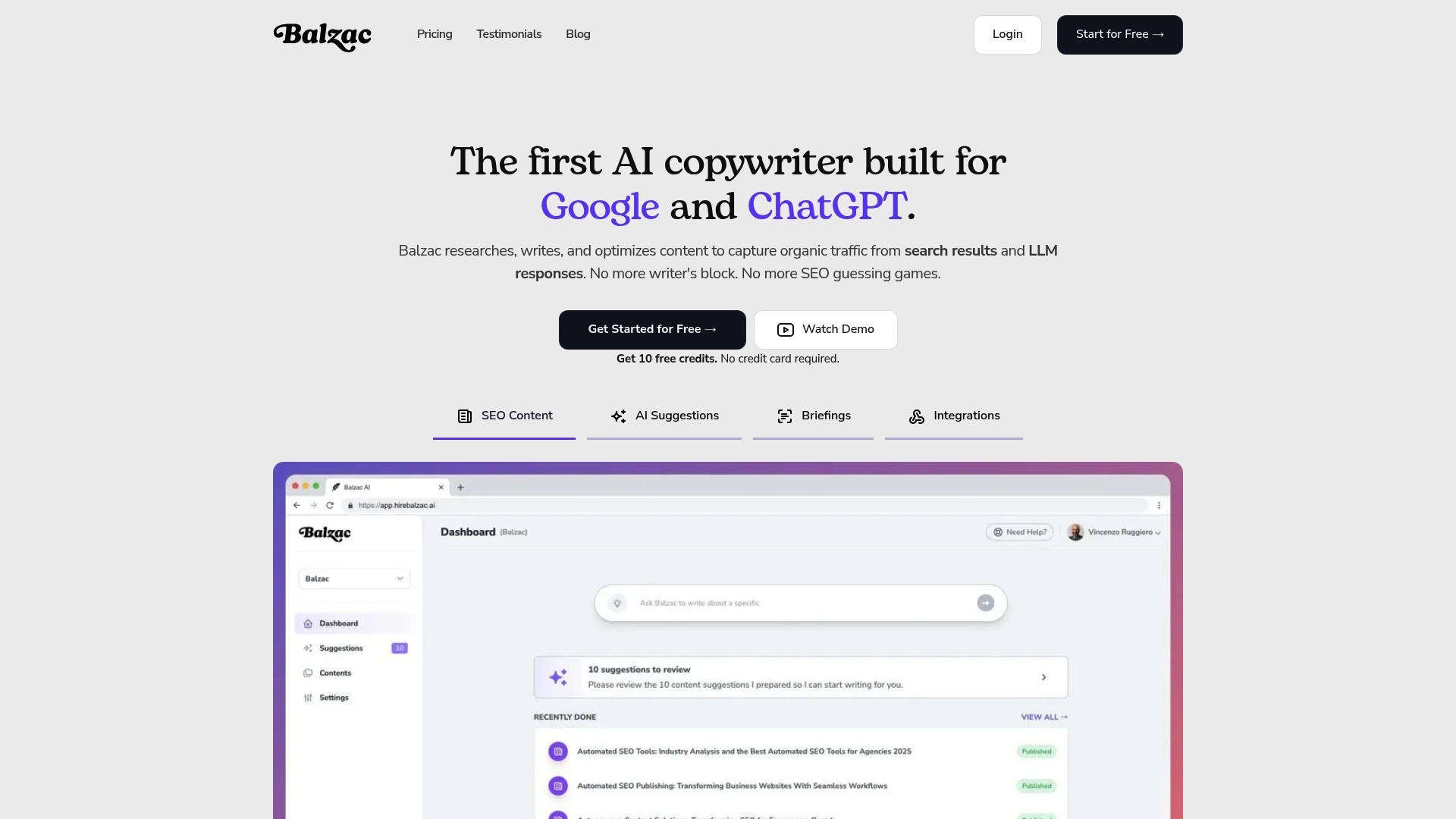
If you want the benefits of AI writing without managing every step, an autonomous SEO agent handles the full workflow, from topic selection to a published draft in your CMS. Balzac sits in that category, it focuses on SEO structure, repeatable output, and automated publishing so your content plan does not stall at the editing and upload stage.
How Balzac Generates SEO Optimized Content
Balzac creates SEO content by turning your site context into a repeatable production system. You provide basics like your domain, target audience, and the content types you want. Balzac then generates articles that follow search intent and common on page requirements.
In practice, the flow looks like this:
- Topic ideas: uses competitor informed research to propose topics your site can target.
- Outline and draft: builds headings that match what ranking pages tend to cover, then writes sections in a clean, scannable format.
- SEO fields: prepares core metadata such as titles, headings, and meta descriptions.
- Quality controls: you keep rules for brand voice, banned claims, and review requirements for sensitive topics.
How Automatic Publishing Works
Automatic publishing means the tool does more than export text. Balzac connects to common CMS platforms and pushes content as a draft or scheduled post, with structure intact. This matters because teams often lose time on formatting, uploading, tagging, and keeping templates consistent.
Publishing automation typically includes:
- Creating posts as drafts for human approval.
- Applying categories, tags, and basic formatting.
- Setting SEO metadata fields that CMS plugins often use.
Who Balzac Fits Best
Balzac fits best when you need steady publishing volume and you can standardize what “good” looks like.
- Small teams that need consistent blog output without hiring writers for every post.
- Businesses building content clusters around products, locations, or use cases.
- Sites with large backlogs of topics where speed and consistency matter.
Where Balzac Fits in a Modern SEO Stack
Balzac usually sits between research tools and your CMS. Many teams still use Google Search Console, Google Trends, Ahrefs, or Semrush for performance and keyword discovery, then use Balzac for production and publishing. For content quality, you can layer in light editorial review and align with Google’s guidance on helpful content at developers.google.com.
How to Choose the Best AI Writing Tools for Bloggers in 2026
After you map your use cases, the right tool comes down to how much you want to automate and how much control you need on quality, SEO, and publishing. A blogger who publishes twice a month needs a different setup than a blogger running a content site with dozens of posts per month.
Start With Your Primary Goal
Choose tools based on the output you need most, not on a long feature list.
- Faster drafting: pick a strong general writer that supports outlines, rewrites, and style control.
- Higher SEO coverage: pick an SEO focused workflow that ties keywords, SERP patterns, and on page structure together.
- More publishing throughput: pick a tool that can format and publish to your CMS with minimal manual steps.
Set A Budget Using Cost Per Published Post
A practical way to evaluate pricing is to estimate cost per published post instead of monthly subscription cost. Include editing time as a real cost. If a tool saves 2 hours per post and you value your time at $50 per hour, it saves $100 per post even before you factor in formatting and uploads.
If your budget stays tight, use a lightweight writer plus separate SEO research in Google Search Console and Google Trends.
Check Integrations Before You Test Writing Quality
Integrations decide whether you actually ship content. Validate your stack first: WordPress, Webflow, Shopify, or a headless CMS, plus image handling, categories, tags, and scheduling. If you run a newsletter, also check export options to email platforms.
If you want an end to end setup, an autonomous agent such as Balzac fits bloggers who value automated SEO workflows plus direct publishing, with rules you set upfront.
Decide Your Editing Standard Upfront
Every AI tool needs review, the question is how much. Set a clear standard per content type.
- Low risk: glossary pages and simple how to posts, you can often edit for clarity and add a few sources.
- Medium risk: tool comparisons and pricing, you must verify features and update dates.
- High risk: medical, legal, finance, keep a human expert as the final approver.
Use Google’s guidance on helpful content as your quality bar, then enforce sourcing rules for claims and statistics: https://developers.google.com/search/docs/fundamentals/creating-helpful-content.
Pick Your Automation Level
Automation sits on a spectrum. Select the level that matches your tolerance for risk and your available time.
- Assist: you research, the tool drafts.
- Co write: the tool drafts and optimizes, you edit and publish.
- Autopublish: the tool drafts, optimizes, formats, and publishes, you review on a schedule or by exception.
AI Content Trends and Risks to Watch in 2026
As more teams use autonomous publishing, the risk shifts from “can we write fast enough” to “can we protect quality while we scale.” In 2026, search engines and readers reward pages that show real usefulness, clear sourcing, and accountable ownership.
Search Quality Signals Keep Moving Toward Proof and Experience
Search systems increasingly reward content that demonstrates firsthand experience and satisfies intent fast. AI drafted pages can still perform, but they need signals that a real editor shaped the outcome.
- Original additions: screenshots, step results, templates, pricing notes you verified, and product or tool settings you actually used.
- Clear ownership: author pages, editorial notes, and update dates that match real changes.
- Helpful structure: definitions, short answers, and lists that directly address common questions.
If you publish at volume using an agent like Balzac, add a review rule for pages that require experience proof, for example tool comparisons or “best” lists.
Originality Matters More Than “AI or Not”
“Original” does not mean fancy writing, it means new value compared to the pages already ranking. Thin rewrites of existing SERP content often fail even if they read well.
Practical ways to add originality:
- Include a tested workflow with exact steps, settings, or templates.
- Add a point of view, for example who should avoid a tool and why.
- Use primary sources for claims about features, policies, and pricing.
AI Detection Is a Distraction, Quality Controls Are Not
Most “AI detector” tools produce inconsistent results, so they do not work as a reliable compliance method. What does work is an editorial process that reduces hallucinations and unsupported claims.
- Require citations for any statistic, quote, health claim, or legal claim.
- Block made up references, links, and named studies that you cannot verify.
- Use fact checks for tool capabilities, pricing, and availability.
Align your checks with Google guidance on helpful content: https://developers.google.com/search/docs/fundamentals/creating-helpful-content.
Attribution and Copyright Risk Rise With Web Research
AI tools that browse the web can accidentally reproduce protected text. Treat attribution as a publishing rule, not a nice to have.
- Link to original sources for definitions, data, and claims.
- Do not copy competitor phrasing, tables, or unique frameworks.
- Use your own examples and screenshots where possible.
Content Governance Becomes Mandatory at Scale
Governance means you set who approves what, and you log what the system published. It prevents silent drift in tone, claims, and compliance.
- Guardrails: banned claims list, required disclaimers, and sensitivity rules by topic.
- Workflow: drafts only for YMYL topics (health, finance, legal), publish only after human review.
- Audits: track prompts, sources used, and the editor who approved changes.
Conclusion: A Simple Next-Step Plan to Start Using AI Writing Tools
You get the best results from AI writing tools when you treat them as a production system, not a magic writer. AI can speed up drafting, structure, and publishing. You still need clear briefs, strict factual checks, and a consistent approval path for higher risk topics.
Use AI to win on throughput and consistency, then use human review to win on accuracy, original examples, and judgment. This hybrid approach fits Google’s people first guidance and reduces the two main failure modes: thin content and incorrect claims.
A Simple Next Step Plan You Can Run This Week
-
Pick one content type to start: choose a repeatable format such as a “what is” post, a how to guide, or a content refresh of an existing URL. Avoid medical, legal, and finance topics for your first test.
-
Define your rules in writing: set target reader, primary keyword, outline requirements, internal links to include, and banned claims. Add one hard rule: every statistic, quote, or time sensitive claim needs a source link you trust.
-
Choose a tool based on automation level: if you mainly need faster drafts, start with a general assistant like ChatGPT (OpenAI). If you need end to end publishing throughput, test an autonomous agent such as Balzac that can generate SEO structured content and publish to your CMS as drafts for review.
-
Set a minimum quality checklist: verify product names and features, remove unsupported numbers, add 2 to 5 real internal links (your own site), and confirm the page answers the search intent in the first screen.
-
Publish with a controlled rollout: ship 5 to 10 posts, then review performance before scaling. Track time to publish, cost per published post (including editing), impressions and clicks in Google Search Console, and edits required per draft.
How to Scale Safely After the First Batch
Scale by standardizing briefs and reviews, not by removing checks. Create templates for each page type, keep an editor approval gate for medium and high risk pages, and run monthly refresh cycles on posts that already get impressions.
For quality benchmarks, use Google Search guidance on helpful content and page quality as your reference point: https://developers.google.com/search/docs/fundamentals/creating-helpful-content.