![Cover image for AI SEO Tools Checklist for Content Optimization [2026]](https://cdn.prod.website-files.com/677ed80da26137ceb11f71ed/69643a3a087b382db5e633d3_flr77op6lguyxqu2an8wkmomrimg.jpeg)
AI SEO tools reduce manual content work by automating research, optimization suggestions, internal linking ideas, publishing, and reporting. Use the checklist below to pick the right stack, connect your data, and prove results in under an hour, without guessing.
Your 60 Minute AI SEO Tools Checklist
- Define the goal: faster content production, higher rankings, more qualified leads, or lower cost per page.
- List your inputs: Google Search Console, GA4, a CMS (WordPress, Webflow, Shopify), and your current keyword or topic list.
- Shortlist tools by job: keyword research (Ahrefs, Semrush), content optimization (Surfer SEO, Clearscope), automated briefs and workflows (Frase), autonomous generation and publishing (Balzac).
- Verify data quality: check where rankings, keywords, and SERP features come from, do not rely on text only suggestions.
- Set guardrails: brand voice rules, prohibited claims, sources required for facts, and an approval step before publishing.
- Connect integrations: GSC and GA4 for measurement, CMS for publishing, and Slack or email for approvals.
- Run one pilot batch: optimize 5 to 10 existing pages and publish 2 to 5 new pages.
- Track KPIs weekly: impressions, clicks, CTR, top 3 and top 10 keywords, conversions, and cost per published page.
What Are AI SEO Tools (and What They Actually Automate)?
Use the checklist from the previous section to pick and set up tools fast, but first you need a clear definition. AI SEO tools use machine learning and language models to speed up content optimization tasks while still relying on human goals, inputs, and approvals. They do not “do SEO” by themselves, they automate pieces of the workflow.
What Counts as an AI SEO Tool
An AI SEO tool is software that uses AI to research topics, generate or improve content, and report SEO performance using data from your site and the search ecosystem. Some tools focus on one job, others cover a full pipeline from idea to publish, including autonomous agents like Balzac.
What AI SEO Tools Actually Automate
Keyword and Topic Research
AI speeds up discovery and clustering. It can group keywords by intent, expand long tail variants, and map topics to pages. Tools often pull inputs from Google Search Console, competitor SERPs, and third party datasets (for example Ahrefs or Semrush).
Content Briefs and Outlines
AI can turn a target query into a brief that tells writers what to cover. Good brief automation includes required subtopics, recommended headings, questions to answer, and competitor content gaps, instead of generic outlines.
Writing Support and On Page Optimization
AI assists drafts with intent matching, term coverage, readability, and on page elements. Expect support for:
- Title tags and meta descriptions
- Heading structure (H2s and H3s)
- FAQ sections and snippet style answers
- Rewrites for clarity and repetition removal
Internal Linking Suggestions
AI suggests links based on topical relevance and anchor text opportunities. It can also flag orphan pages and recommend link hubs, but you still need rules to avoid spammy anchors and irrelevant links.
Publishing and Workflow Automation
Some tools stop at recommendations, others push content into a CMS. Publishing automation means drafts, approvals, and scheduling happen inside one system, including WordPress flows when supported. Autonomous options like Balzac can generate and publish content with guardrails you define.
Reporting and Content Refresh Signals
AI turns GA4 and Search Console data into actions: pages losing clicks, queries with high impressions and low CTR, and refresh priorities. Use trend based alerts, not vanity ranking screenshots.
AI SEO Tools Evaluation Checklist: 12 Must-Check Criteria
Use this buyer checklist after you shortlist tools by job. A good AI SEO tool should improve output quality, reduce manual work, and still let you control what gets published.
AI SEO Tools Evaluation Checklist: 12 Must Check Criteria
- 1) Output quality: The tool should write clear copy, keep factual claims traceable, and avoid repetition. Test it on one existing page and compare before and after readability.
- 2) SEO coverage: Confirm it supports intent mapping, headings, FAQ ideas, internal links, schema targets, and refresh suggestions, not just keywords.
- 3) Data sources: Prefer tools that connect to Google Search Console and GA4 for real performance inputs, not only generic language models. (See Google Search Console documentation.)
- 4) SERP grounding: Check whether recommendations reference live SERP patterns such as titles, H2 topics, and SERP features, not guesses.
- 5) Controllability: Look for brand voice rules, banned topics, claim restrictions, and a required citations setting.
- 6) Human approvals: Require an editorial approval step before publish, even if the tool can run autonomously.
- 7) Integrations: Verify direct connections to your CMS (WordPress, Webflow, Shopify) plus Slack or email for approvals.
- 8) Multi platform output: Check export formats: HTML, Google Docs, CMS blocks, and repurposing for email and social.
- 9) Security and privacy: Confirm SSO support, role based access, and clear data retention rules. Avoid tools that train on your private drafts by default.
- 10) Reporting: The tool should track content velocity, rankings, clicks, CTR, and conversions per page, tied to GSC or GA4.
- 11) Pricing realism: Calculate cost per published page (tool fees plus human review time). Watch for per seat and usage caps that block scale.
- 12) Support and road map: Check onboarding, documentation quality, response times, and update cadence. For autonomous options like Balzac, confirm guardrails, CMS publish controls, and rollback workflows.
Implementation Checklist: Integrate AI SEO Tools Into Your Workflow
You get value from AI SEO tools only after you connect real site data, define approval rules, and ship on a predictable cadence. This checklist turns “recommendations” into published pages with measurable impact.
1) Set Your Baseline and Tracking
- Pick one KPI set for the pilot: clicks, impressions, CTR, conversions (GA4), and the number of pages shipped per week.
- Record a 28 day baseline: export top pages and top queries from Google Search Console.
- Standardize naming: decide how you label content type, topic cluster, and owner so reporting stays clean.
2) Connect Data Sources (Do This First)
- GSC: connect for queries, impressions, clicks, CTR, and indexing checks.
- GA4: connect for engagement and conversions, verify events you care about exist (lead, trial, purchase).
- CMS: connect WordPress, Webflow, or Shopify so the tool can pull existing URLs, headings, and internal links.
3) Set Guardrails Before Any Generation
Write rules that the tool must follow, then enforce them with templates or workflow steps. Keep it explicit and testable:
- Forbidden topics or claims (medical, legal, financial advice).
- Fact policy: when to cite sources, and when to avoid numbers.
- Brand voice: examples of acceptable intros, CTAs, and formatting.
- Internal link rules: max links per 1,000 words, and allowed anchor patterns.
4) Assign Roles and Approvals
- SEO owner: selects target query and intent.
- Editor: verifies accuracy, checks duplication, confirms the brief matches the SERP.
- Publisher: reviews metadata, schema, images, and final URL.
5) Ship a Pilot Batch, Then Automate
- Start with 5 existing pages to refresh (high impressions, low CTR) and 2 new pages from one cluster.
- Use a consistent flow: brief, draft, optimize, internal links, publish, measure.
- If you want auto generate plus publish, test an autonomous agent like Balzac only after your guardrails and approvals work end to end.
Content Optimization Checklist: Turn Drafts Into Ranking Pages
Use this checklist after you pick a tool and connect your data. On page optimization works best when you match search intent first, then tighten structure, links, and proof signals, instead of stuffing terms.
On Page Content Optimization Checklist
1) Lock the Keyword and the Intent
- Pick one primary query, confirm the page targets a single job (buy, compare, learn, fix).
- Confirm the SERP format: guide, list, landing page, template, calculator, or video first page pattern.
- Add supporting queries from Google Search Console (high impressions, low clicks) so you write for real demand.
2) Fix Titles, Headings, and Snippet Readability
- Title tag: include the primary query and a clear outcome.
- H1: mirror the page promise, do not repeat every modifier.
- H2 and H3s: map each to one subtopic users expect, remove “fluff” headings.
- Snippet blocks: add 40 to 60 word direct answers under relevant headings.
3) Add FAQs and Schema Targets
FAQs improve coverage only when they answer repeat questions from the SERP and internal support tickets. Add 3 to 6 questions, each with a short, literal answer.
- Use HowTo schema only for true step sequences, use Product schema for product pages, use Article schema for blog posts.
- Validate with Schema.org Validator.
4) Build Internal Links That Move Authority
- Link from 2 to 5 relevant older pages into the new or updated page.
- Link out to one hub page and 2 to 5 deeper supporting pages.
- Keep anchor text specific, avoid repeating the exact same anchor site wide.
5) Add E E A T Signals Readers Can Verify
- Author line with role and relevant experience, add a short bio.
- Citations for stats and claims, prefer primary sources.
- Last updated date when you refresh meaningfully.
6) Set a Refresh Cycle Using GSC Signals
Refresh pages when you see clicks drop for 28 days, impressions rise while CTR falls, or top queries shift. Tools that auto publish, including Balzac, still need these triggers and an approval rule for sensitive pages.
Balzac: Autonomous AI SEO Agent Checklist (When You Want Auto-Generate + Publish)
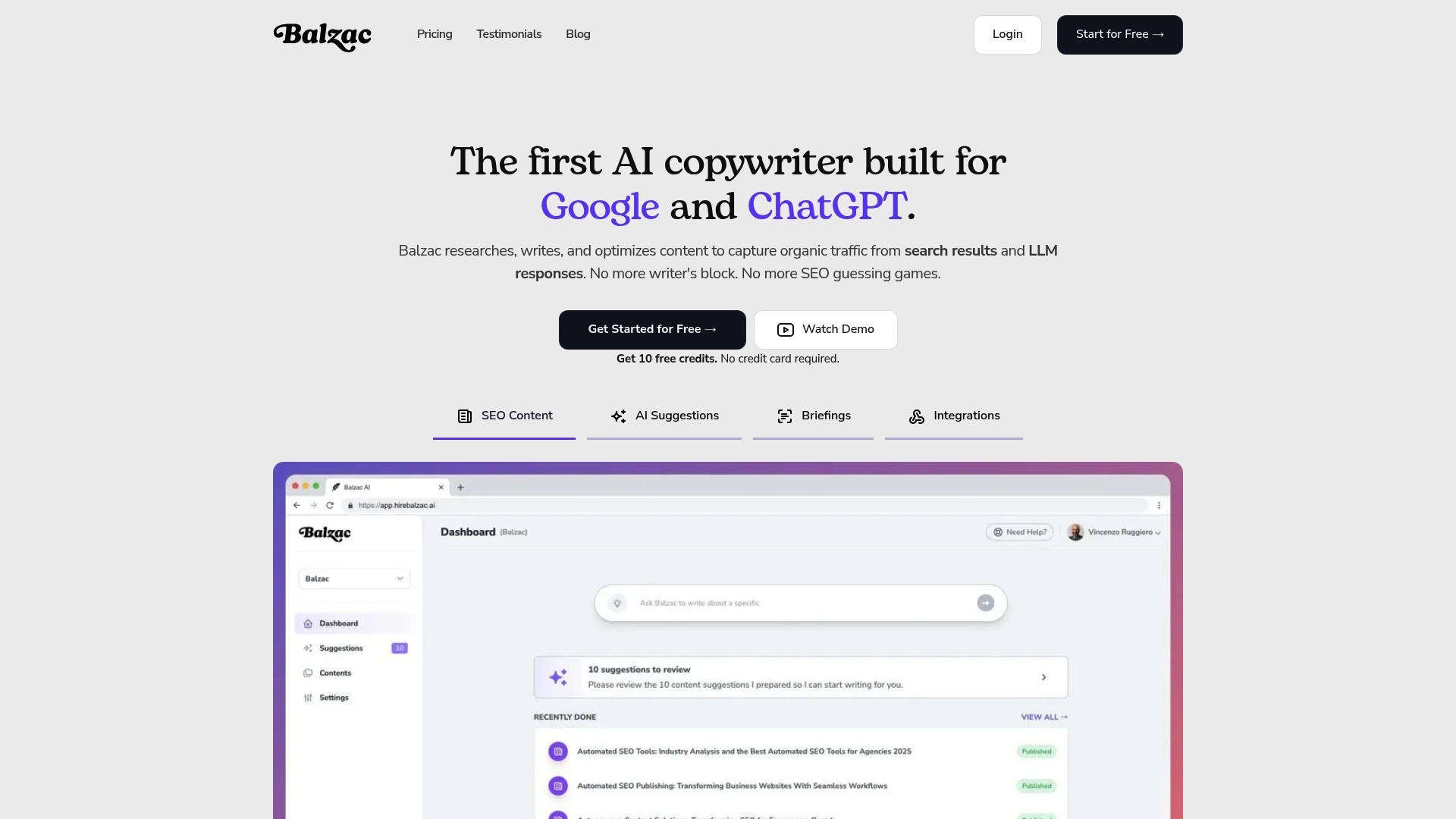
If your workflow breaks at publishing, an autonomous agent matters. Balzac fits teams that want the system to research, draft, optimize, and publish, with a human reviewing only when needed.
Balzac Fit Check: When Auto Generate Plus Publish Makes Sense
Use Balzac when you need steady content velocity and you already know the basics of your market and offers. It fits best for:
- Small teams that cannot staff writers and editors for weekly output.
- Sites with clear topic clusters (for example product use cases, comparisons, definitions, and how to guides).
- Programs where publishing consistency matters more than one perfect flagship article.
Setup Requirements Checklist (Before the First Publish)
- Access: confirm you can connect the target CMS, then test a draft import before enabling publishing.
- Measurement: connect Google Search Console and GA4 so Balzac can learn from real queries and outcomes.
- Site inputs: provide your existing URLs, core products, target locations (if relevant), and a short list of competitors.
- Templates: define title tag rules, meta description rules, and an article structure that matches your SERP intent.
Guardrails Checklist (What You Must Control)
Autonomy works only when you set clear constraints. Verify you can enforce:
- Claims policy: ban medical, legal, or financial advice, and require citations for stats and benchmarks.
- Brand voice: approved phrases, banned phrases, and reading level guidance.
- Internal linking rules: anchor patterns, link caps per page, and a short list of priority hub pages.
- Approval gates: require human approval for pages in sensitive categories (pricing, comparisons, compliance).
- Rollback plan: confirm you can revert a publish in your CMS and keep a revision history.
Evaluation Checklist (Prove It Works in 14 Days)
- Indexing: new URLs get indexed, then start earning impressions in Search Console.
- Intent match: titles and headings align with the current top results for the target query.
- Quality: a human editor can fact check in minutes, not hours.
- Cost per page: tool cost plus review time drops versus your current process.
FAQ + Success Metrics: How to Measure ROI From AI SEO Tools
ROI from AI SEO tools is simple to prove if you track before and after performance on a fixed page set. Start with a 28 day baseline in Google Search Console and GA4, then measure the same metrics weekly for your refreshed and newly published URLs.
FAQ: ROI Measurement for AI SEO Tools
How Long Until You See Results?
Most teams see early movement in impressions and CTR within 2 to 6 weeks after updates, and more stable rankings and clicks in 6 to 12 weeks. Competitive queries often take longer.
What Is the Fastest ROI Win?
The fastest win is usually improving pages with high impressions and low CTR. Rewrite title tags, tighten the first 60 words, and add direct answer blocks. Pull the opportunity list from Google Search Console.
How Do You Prevent “AI Content” Quality Problems?
Use guardrails plus human approval: require citations for stats, block unsupported claims, and review internal links. Autonomous publishing tools such as Balzac still need these rules to protect brand and accuracy.
What Should You Compare Against?
Compare the same URLs against their own baseline, and against a small set of similar pages you did not change. This reduces seasonality noise.
KPI Checklist to Prove Impact
- Rankings: count of top 3 and top 10 queries per page (track in GSC queries, not screenshots).
- Clicks and Impressions: weekly change for the pilot set.
- CTR: focus on queries with high impressions, low clicks.
- Content Velocity: pages published per week, plus pages refreshed per week.
- Conversions: leads, trials, purchases in GA4, verify events in GA4 documentation.
- Cost Per Page: (tool cost plus human review time) divided by pages shipped.
Simple ROI Formula You Can Use
ROI = (incremental conversion value from AI optimized pages minus total tool and labor cost) divided by total tool and labor cost. If you cannot value conversions yet, report cost per page and conversion rate lift until revenue attribution stabilizes.