
You can publish 10 AI-written posts this month and still watch your rankings stall. The failure point is rarely “can the tool write?” It is whether you have a system for picking topics, building internal links, getting approvals, and pushing pages into WordPress or Webflow week after week.
- Solo creator or founder (1 site, limited time): Pick an AI copywriter tool if you want fast drafts for posts, landing pages, and ads, and you want to control briefs, edits, and publishing.
- Small marketing team (reviews and approvals): Pick an AI copywriter with collaboration controls if you need shared projects, brand voice rules, and a clear approval step before anything goes live.
- Ecommerce (hundreds to thousands of SKUs): Pick a tool built for bulk generation and templates for product descriptions, category pages, and localization, then plug it into your CMS or PIM workflow.
- Hands-Off Publishing (you want a system, not prompts): Pick an autonomous SEO agent such as Balzac if you want competitor-based topic ideas, SEO-structured drafts, internal linking suggestions, and automatic publishing to major CMS platforms.
If you are trying to hit a weekly cadence, cut writer or agency spend, or stop guessing what to publish next, this guide will help. I compare AI copywriter tools and autonomous SEO agents using the same scoring criteria, with an emphasis on reliability: intent matching, internal links, approvals, refresh cadence, and how content actually gets shipped.
If you searched for Best AI copywriter tools 2025, you are still in the right place. The bigger 2026 decision is whether you want a writing assistant that speeds up drafts, or an agent that can run the generate-optimize-publish loop on a schedule.
What Is an AI Copywriter in 2026?
If you are comparing an AI copywriter to an autonomous SEO agent, you are really choosing how much of the SEO publishing loop you want automated. In 2026, “AI copywriter” covers three distinct product types, and they behave very differently once you move past generating a draft.
Here is the clean way to think about it:
- Basic copy generators create text fast from a prompt. They work well for ads, emails, and landing page variations, but they usually depend on you for keyword research, outlines, internal links, and publishing.
- SEO writing assistants help you plan and optimize long-form pages. They add SERP-aware guidance such as keywords, headings, and content grading, but a human still runs the workflow and pushes content live.
- Autonomous SEO agents run a repeating system: find topics, draft, optimize, link, and publish with minimal human input. This category is where tools like Balzac sit, because the goal is hands-off publishing rather than “help me write.”
What “Automated SEO Content Creation” Actually Includes
Automated SEO content creation means more than generating paragraphs. A tool only earns the label when it covers most of these steps in a repeatable workflow:
- Topic discovery: identifies publishable topics based on search intent and competition (often by analyzing competitor sites or SERPs).
- Brief and outline: turns a topic into an outline that matches the intent (informational, commercial, local, etc.).
- Drafting in a defined voice: produces a full article with consistent terminology, formatting, and brand constraints.
- On-page SEO: proposes titles, meta descriptions, heading structure, and keyword placement without stuffing.
- Internal linking: suggests links to relevant existing pages, plus anchor text that makes sense for users.
- Publishing workflow: exports clean HTML or publishes directly to WordPress, Webflow, Shopify, or another CMS (depending on the tool).
- Refresh and maintenance: updates older posts when rankings shift or pages become outdated (few tools do this well yet).
This is why the “Best AI copywriter tools 2025” lists still feel incomplete in 2026. Many top tools write strong drafts, but they stop before internal linking, CMS publishing, and ongoing refreshes. Autonomous SEO agents aim to cover those missing steps so you can publish consistently without hiring writers or running a weekly production meeting.
Which Criteria Actually Matter for Best AI Copywriter Tools 2025?
Internal linking, CMS publishing, and refresh cadence are where many “Best AI copywriter tools 2025” lists stop being useful. For this comparison, I score tools on whether they help you ship SEO content reliably, not whether they can write a clever intro paragraph.
Here are the exact criteria used to evaluate each AI copywriter and autonomous SEO agent in the table later:
- Content Quality: Does the draft read like a competent human wrote it, with clear structure, accurate terminology, and minimal fluff? I look for scannable headings, concrete examples, and consistent tone.
- Search Intent And SERP Fit: Can the tool target informational vs commercial intent correctly and propose an outline that matches what already ranks? Strong tools adapt format (list post, comparison, how-to) to the query.
- On-Page SEO Depth: Does it handle titles, meta descriptions, H1-H3 structure, entity usage, FAQs, and semantic keywords without keyword stuffing?
- Internal Linking Help: Does it suggest relevant internal links based on your existing URLs, and does it place them in sensible sections (definitions, next steps, related topics)?
- Topic Discovery And Competitor Input: Can it generate topic ideas from competitor sites and gaps, not just generic keyword lists? This matters when you feel “stuck on what to write next.”
- Workflow Automation: Can you move from idea to draft to scheduled content with minimal manual steps? I score higher when the tool reduces prompt-by-prompt babysitting.
- CMS Publishing And Scheduling: Can it publish or schedule to major CMS platforms (for example WordPress, Webflow, Shopify) with categories, tags, and formatting intact?
- Brand Voice Controls: Does it support style guides, examples, terminology rules, and “do not say” lists so outputs stay consistent across weeks?
- Collaboration And Approvals: Does it support comments, versioning, roles, and an approval gate before publishing for teams?
- Analytics And Feedback Loop: Can you connect performance data (from tools like Google Search Console or Google Analytics 4) back into topic planning and refresh decisions?
- Privacy, Compliance, And Data Handling: Does the vendor explain data retention, training usage, and admin controls clearly enough for a business workflow?
- Pricing And Predictability: Are costs transparent for your content volume (including seat-based pricing, word limits, or usage-based credits)?
How These Criteria Separate AI Copywriters From Autonomous SEO Agents
AI copywriter tools usually score highest on drafting speed, templates, and brand voice. Autonomous SEO agents (Balzac is one example) tend to score higher on topic discovery, internal linking, and CMS publishing because they aim to run the generate-optimize-publish loop on a schedule.
Balzac: Autonomous SEO Agent for Generate-Optimize-Publish
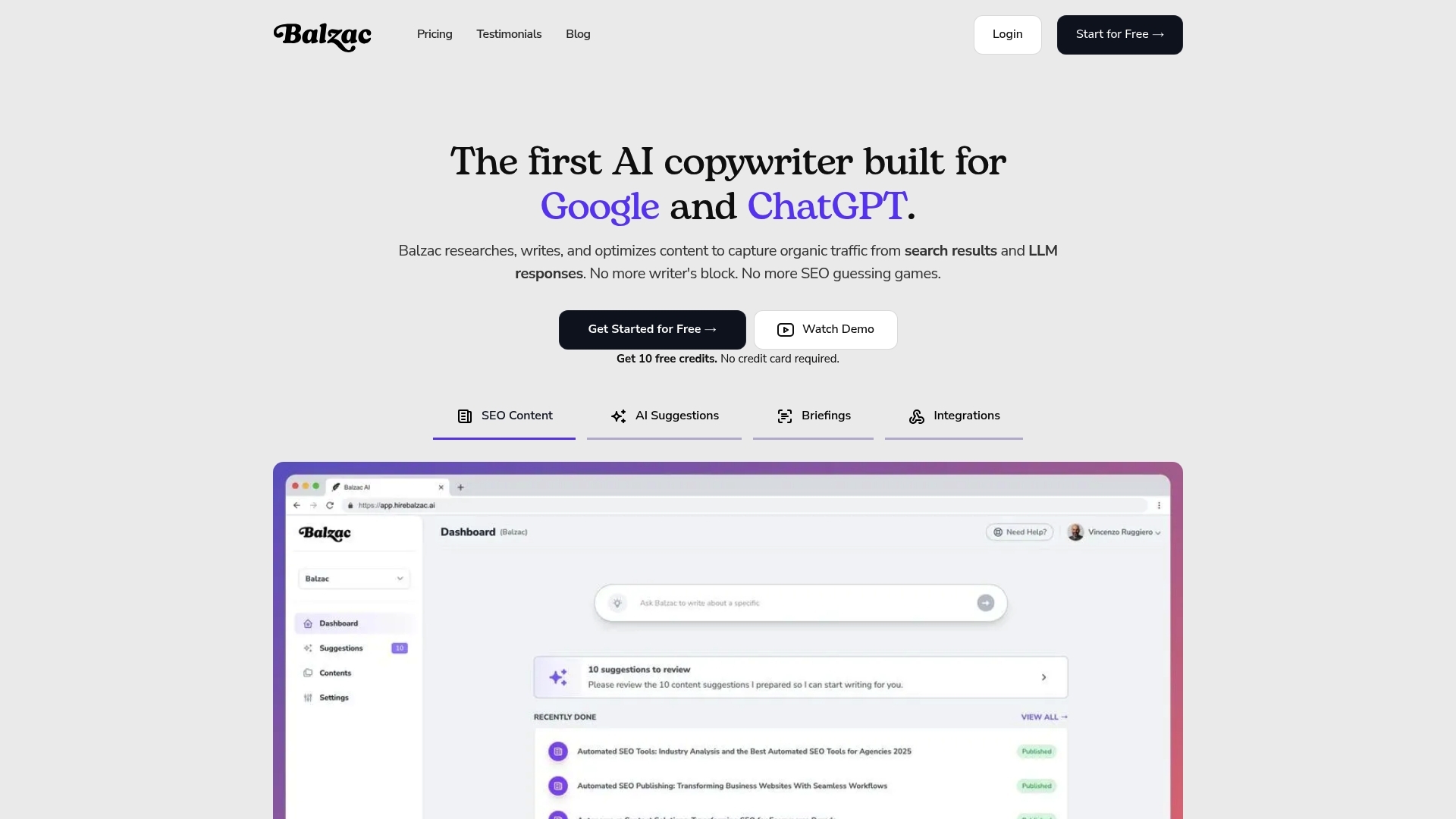
Balzac is an AI copywriter only in the broad sense. It behaves more like an autonomous SEO agent because it is built to run the generate-optimize-publish loop on a schedule. If your bottleneck is consistency, not creativity, this category shift matters more than which tool writes the “best” paragraph.
Balzac fits the hands-off publishing use case when you want a system that keeps shipping SEO pages without weekly prompting, outlining, and CMS formatting. You give it your site context, then it focuses on producing SEO-structured drafts and getting them live.
What Balzac Automates in the Generate-Optimize-Publish Loop
- Competitor-based topic ideas: Balzac uses competitor analysis to suggest topics you can realistically publish and rank for, instead of relying on brainstormed prompts.
- SEO-first drafts: It generates long-form articles with a clear structure (titles, headings, and sections) designed around search intent, so you spend less time rewriting “AI fluff” into an actual SEO page.
- Internal linking suggestions: It proposes links to relevant existing pages and sensible anchor text, so new posts connect into your site architecture instead of landing as isolated URLs.
- Automatic CMS publishing: It can publish to major CMS platforms, which removes the slowest part of many content workflows: copy-pasting, formatting, adding metadata, and hitting publish.
This is the gap most “Best AI copywriter tools 2025” roundups gloss over. Many popular writing tools stop at drafting and light on-page SEO. They assume you will handle internal linking, editorial checks, and publishing in WordPress, Webflow, or Shopify. Balzac aims to cover those operational steps so a small team can keep a weekly cadence without hiring writers or running a production line in Google Docs.
Balzac still benefits from human guardrails. You should define brand voice rules, set approval preferences if your site has higher risk (medical, legal, finance), and spot-check facts before publishing. Autonomous SEO agents reduce manual work, but they do not remove the need for editorial standards.
AI Copywriter Tools Comparison Table (Same Tests, Same Criteria)
If you care about consistent publishing, an AI copywriter only helps if it fits your guardrails: intent, internal links, approvals, and how content gets into WordPress or Webflow. The table below scores popular options using the same criteria from this guide, including the “Best AI copywriter tools 2025” crowd and an autonomous SEO agent option for hands-off workflows.
| Tool | Type | Content Quality | SEO Depth | Topic Discovery | Internal Linking | Automation | CMS Publishing | Voice Controls | Collaboration | Analytics Loop | Privacy Clarity | Best Fit |
|---|---|---|---|---|---|---|---|---|---|---|---|---|
| Balzac | Autonomous SEO agent | High | High | High (competitor-based) | High | High | High (auto-publish) | Medium-High | Medium | Medium | Medium | Hands-off publishing, scheduled output |
| Jasper | AI copywriter | High | Medium | Low-Medium | Low | Medium | Low | High | High | Low | Medium | Brand-led marketing teams, campaigns |
| Copy.ai | AI copywriter | Medium-High | Low-Medium | Low | Low | Medium | Low | Medium | Medium | Low | Medium | Short-form copy, quick variations |
| Writesonic | AI copywriter | Medium-High | Medium | Low-Medium | Low | Medium | Low | Medium | Medium | Low | Medium | Blogs and landing pages with light SEO help |
| Surfer SEO | SEO writing assistant | Medium | High | Medium | Low | Low-Medium | Low | Low-Medium | Medium | Low | Medium | On-page optimization for writers and editors |
| Clearscope | SEO writing assistant | Medium | High | Medium | Low | Low | Low | Low | Medium | Low | Medium | Editorial teams optimizing existing drafts |
How To Read These Scores Without Getting Fooled
High “Content Quality” does not mean “ready to publish.” Tools like Jasper, Copy.ai, and Writesonic can draft quickly, but they usually leave you with manual steps: intent checks, internal linking decisions, and formatting for your CMS.
SEO assistants like Surfer SEO and Clearscope push you toward SERP-aligned coverage, but they assume a human runs keyword research, writing, and publishing. They fit teams with an editor who can enforce standards.
If your bottleneck is cadence, look hardest at Automation and CMS Publishing. That is the practical line between “I can write faster” and “my site publishes every week.”
How Do You Choose the Right Tool for Your Team Size and Content Volume?
Cadence forces a choice: do you want an AI copywriter that helps you write faster, or a system that keeps publishing when your calendar gets messy? Use the decision flow below to pick based on team size, content volume, approvals, and risk. If you came here from “Best AI copywriter tools 2025” lists, this is the missing step: matching the tool to your operating model.
- Start with autonomy. If you want ideas, drafts, internal links, and CMS publishing handled with minimal prompting, choose an autonomous SEO agent category (for example Balzac). If you want to steer each brief and edit heavily, choose an SEO writing assistant or AI copywriter tool.
- Set your publishing frequency. For 1 to 4 posts per month, most teams can run an AI copywriter plus a simple checklist. For weekly publishing or multiple sites, prioritize workflow automation, reusable templates, and scheduling. Manual copy-paste into WordPress or Webflow becomes the bottleneck fast.
- Map approvals to risk tolerance. If you publish in regulated or brand-sensitive areas (health, finance, legal, public companies), pick tools with clear review gates, comments, and version history, or keep publishing manual. If your risk is lower, you can accept lighter review and move faster.
- Decide how you will pick topics. If “what should we write next?” is your recurring problem, prioritize competitor-informed topic discovery and SERP fit. If you already run keyword research in Ahrefs (an SEO backlink and keyword tool) or Semrush (an SEO and competitive research suite), you can use an AI copywriter mainly for drafting.
- Check brand voice controls. If multiple people publish, you need enforceable rules: examples, preferred terminology, banned phrases, and formatting standards. If it is just you, lightweight voice presets are usually enough.
- Make pricing predictable for your volume. Seat-based plans fit teams with approvals. Usage-based credits fit bursty production. If you plan programmatic SEO or thousands of product descriptions, confirm bulk generation limits before you commit.
Quick Picks by Team Size and Volume
- Solo, under 4 pieces/month: AI copywriter or SEO writing assistant, manual publish, strong voice presets.
- 2 to 5 people, weekly cadence: AI copywriter with collaboration and approvals, plus a defined internal linking process.
- Ecommerce, 500+ SKUs: bulk generation, templates, and export into Shopify or a PIM workflow.
- Lean team, weekly cadence, minimal meetings: autonomous SEO agent with topic discovery and CMS scheduling.
Where AI Copywriter Tools Break Down (And How to Catch It Fast)
Every AI copywriter fails in predictable ways once you move from “draft” to “publish weekly.” If you want consistent output without waking up to a brand mess, you need fast guardrails for accuracy, voice, duplication, and citations. This is the part missing from many Best AI copywriter tools 2025 roundups.
Fast Safeguards That Keep Speed
- Fact checks on “hard claims”: Flag anything with numbers, dates, medical or legal advice, pricing, or named features as “verify.” Confirm with primary sources such as vendor docs, government sites, or standards bodies. If you cannot verify, rewrite as a general statement or remove it.
- Citation discipline: Require at least one link for any claim that could be challenged. Use sources like Google Search Central documentation for SEO guidance, and official product documentation for tool features.
- Brand voice lock: Create a short style sheet the AI must follow: preferred terms, banned phrases, reading level, and formatting rules (for example, “use H3s sparingly” and “no hype adjectives”). Tools like Jasper (brand voice features) help, but you still need a human-owned reference doc.
- Duplicate and near-duplicate checks: Run Copyscape (web duplication) or Grammarly Plagiarism (editor workflow) on anything that targets an existing keyword cluster. Also check your own site for overlap before you publish a second “best X” page.
- Internal link sanity check: AI suggestions often link by keyword match, not user intent. Validate that each internal link answers a next question, and that anchor text matches the destination page.
Autonomous SEO agents add another failure mode: they can publish faster than your review habit. If you use a system that auto-publishes (Balzac included), add an approval gate for higher-risk topics and new categories until you trust the pattern.
Use this lightweight review workflow to catch problems in under 10 minutes per post:
- Intent check (60 seconds): Confirm the page matches the query type (definition, comparison, how-to, pricing).
- Red-flag scan (3 minutes): Search the draft for numbers, “studies,” dates, and superlatives. Verify or delete.
- Voice pass (3 minutes): Replace generic filler, enforce your terminology, and tighten the intro.
- Link pass (3 minutes): Add 2-5 internal links that make sense, confirm any external citations, then publish or schedule.
The Contrarian Truth: “More Content” Can Hurt SEO Without a Publishing System
That 10-minute review catches obvious issues, but it does not fix the bigger problem: publishing a lot of pages without a system can reduce SEO performance. An AI copywriter makes it easy to ship volume. If your briefs drift, your internal links stay thin, and you never refresh old URLs, Google sees a site that grows in size while getting less coherent.
Traffic decay usually looks like this: you publish 20 posts, a few spike, then impressions flatten in Google Search Console. The content is not “bad,” it is disconnected. Each new page competes with older pages, introduces new terminology, and leaves orphan URLs that never earn internal links.
Where “More Content” Goes Wrong
- Inconsistent briefs create intent mismatch: One month you target “best,” the next month you target “how to,” then you mix them on the same keyword. You end up rewriting intros and H2s repeatedly because the tool follows your prompt, not your strategy.
- Weak internal linking creates orphan pages: If new posts do not link to your money pages and related guides, they rarely pass value through the site. Users bounce, crawlers see dead ends, and your topical clusters never form.
- No refresh cadence leaves winners to rot: SERPs change. Competitors add sections, Google rewrites the intent, and your once-good post slides. If you only publish net-new URLs, you accumulate declining assets.
The fix is boring, and it works: run a lightweight publishing system that forces consistency. Treat your AI copywriter or agent as a production engine inside guardrails.
- Lock a one-page brief template. Include primary query, intent (informational or commercial), target reader, and 5 to 8 required entities (products, standards, tools) that must appear.
- Define a linking rule per post. Add 2 to 4 internal links out, and 1 to 2 internal links in (update older posts to point to the new one). Use a simple spreadsheet of URLs if you lack a tool.
- Schedule refreshes like publishing. Every month, pick 2 to 5 posts from Google Search Console with dropping clicks or impressions and update sections, titles, and internal links.
- Track cannibalization early. If two URLs rank for the same query, merge or re-scope one page before both sink.
This is where autonomous SEO agents can earn their keep. A system like Balzac can keep topic selection, internal linking suggestions, and CMS publishing consistent, so you spend your time approving and refreshing instead of rebuilding the workflow every week.
Decision Checklist: Pick Your AI Copywriter Tool in 5 Minutes
Consistent publishing usually fails at the handoff points: topic choice, internal links, approvals, and getting content into your CMS. Use this checklist to pick an AI copywriter or autonomous SEO agent quickly, then set next steps you can actually follow week after week.
5-Minute Decision Checklist for Best AI Copywriter Tools 2025
- Pick your operating mode: Do you want a writing assistant you prompt per piece, or an agent that can run topic to draft to publish on a schedule?
- Define your weekly output target: 1-4 pieces per month tolerates manual steps. Weekly publishing or multiple sites needs workflow automation and scheduling.
- Decide who owns topics: If you already plan in Ahrefs or Semrush, prioritize drafting quality and voice controls. If “what should we write next?” keeps stalling you, prioritize competitor-based topic discovery.
- Check internal linking support: Confirm the tool can use your existing URLs to suggest relevant links and anchor text, not generic “link to a related page” advice.
- Confirm CMS publishing reality: If you publish in WordPress, Webflow, or Shopify, decide whether you need direct publishing or if clean HTML export is enough. If you hate copy-paste and formatting, favor direct publishing and scheduling.
- Set your approval gate: High-risk categories (health, finance, legal, public-company comms) need human approval before publish. Low-risk blogs can accept lighter review.
- Validate brand voice controls: Look for enforceable rules: examples to mimic, preferred terminology, banned phrases, and formatting constraints.
- Decide how you will verify facts: If you publish data, pricing, or feature claims often, keep a required “sources” step. Plan to cite primary docs (for SEO guidance, start with Google Search Central).
- Match pricing to volume: Seat-based plans fit teams with approvals. Credit-based plans fit bursts. For ecommerce or programmatic SEO, confirm bulk limits before you commit.
Next steps: choose one “pilot” workflow for 2 weeks. Publish 4 pieces using the same template, the same internal link rule (add 2-5 links), and the same review timer (10 minutes or less). If you still miss cadence because of topic selection and CMS work, you are in autonomous SEO agent territory (Balzac is built for that generate-optimize-publish loop). If edits and approvals slow you down, pick a tool with stronger collaboration and versioning.
FAQ: AI Copywriter Tools for Automated SEO Content Creation
Your 2-week pilot will answer most “which tool” questions. The remaining ones are usually about risk: will an AI copywriter get you penalized, will it create duplicates, and can it keep your SEO structure consistent when you scale. This FAQ covers the high-intent issues people raise when comparing AI copywriter tools vs autonomous SEO agents.
Ranking, Originality, Linking, Programmatic SEO, Multilingual, Publishing, Privacy
- Will Google penalize AI-written content?
Google does not ban AI content by default. Google evaluates content quality and usefulness, not the writing method. Follow Google Search Central guidance on “helpful content,” avoid thin pages, and add real value such as specific steps, screenshots, pricing context, and sourced facts. Reference: Creating helpful, reliable, people-first content.
- How do I keep AI content original and avoid duplication?
Start with a unique angle (your workflow, your constraints, your examples), then run a duplication check before publishing. Copyscape and Grammarly Plagiarism catch obvious overlap, but your bigger risk is internal duplication (two pages targeting the same intent). Maintain a simple keyword-to-URL map in a spreadsheet to prevent cannibalization.
- Do AI tools handle internal linking well enough for SEO?
Most AI copywriter tools suggest links based on keyword matching, which can create irrelevant anchors. Treat internal links as navigation, not SEO decoration. Require 2 to 5 internal links per post, and confirm each link answers a “next question.” Autonomous SEO agents tend to do better here because they operate with your site structure in mind.
- Is programmatic SEO safe with AI copywriter tools?
Programmatic SEO works when each page has distinct intent and unique data. It fails when you generate hundreds of near-identical pages with swapped city names or minor variations. Use templates, but vary sections with real differences (inventory, pricing ranges, policies, integrations, constraints). Keep a hard quality gate: if a page cannot justify its own existence in 30 seconds, do not publish it.
- Can AI copywriter tools do multilingual SEO?
They can draft translations, but you still need locale-specific keyword research. Spanish for Mexico and Spanish for Spain differ in search terms and intent. Use Google Search Console to validate queries per locale, and have a native reviewer spot-check high-traffic pages.
- Which tools can publish directly to my CMS?
Many “Best AI copywriter tools 2025” style tools export text, then you paste into WordPress or Webflow. Autonomous SEO agents such as Balzac focus on scheduling and automatic CMS publishing, which removes formatting, metadata entry, and missed-cadence issues.
- What should I ask about data privacy and compliance?
Ask whether the vendor uses your inputs to train models, how long they retain prompts and outputs, and what admin controls exist (SSO, roles, audit logs). If you handle sensitive data, keep prompts free of customer details and rely on your own style guide and public sources.
Next step: take one draft you published in your pilot, run the 10-minute review again, then decide what you want to automate next: topic selection, internal linking, or CMS publishing. Your answer points to the right category immediately.