
If your team can publish 50 SEO pages a week, you can also publish 50 mistakes a week. That’s the real tension in rankability automated content workflows: automation makes output cheap, but Google still judges every URL one page at a time—and it indexes the bad ones just as fast as the good ones.
The fix is simple to say and hard to enforce: automate the repeatable steps, then put hard “stop” gates around the decisions that can waste months of crawl budget, create thin pages, or ship claims you can’t defend. When rankability criteria live inside the workflow—before anything goes live—you get speed with control.
This guide shows how to build rankability automated content workflows as a gated pipeline you can run in Zapier, Make, n8n, or an agent like Balzac. You’ll leave with a practical blueprint: what to automate first, where humans must approve, which QA checks should be pass/fail, and how to spot early signals that your workflow is producing index bloat instead of rankings.
What Are Rankability Automated Content Workflows?
Automation can draft, but people own the consequences. That same boundary applies to rankability automated content workflows: you automate repeatable decisions and production steps, then keep human judgment where a wrong call creates real risk or wasted pages.
Rankability automated content workflows are systems that turn SEO inputs (keywords, SERP evidence, site rules, brand constraints) into publish-ready pages through a defined pipeline of checks and actions. “Rankability” is the gating logic inside the pipeline. It answers one question at each step: does this page match what Google is rewarding for this query, and does it meet your site’s quality bar?
Inputs, Process, Outputs, And Rankability Criteria
Inputs are the raw materials the workflow needs to make decisions:
- Query and intent signals: target keyword, modifiers, People Also Ask themes, and the dominant SERP format (guides, product pages, tools, local packs).
- Competitive evidence: top-ranking URLs, topic coverage patterns, common headings, and link profiles (often pulled from Ahrefs, an SEO backlink analysis tool, or Semrush, an SEO keyword and competitor platform).
- Site constraints: existing internal link structure, taxonomy, canonical rules, and CMS requirements (WordPress, Webflow, Shopify).
- Brand and compliance rules: forbidden claims, citation standards, and review requirements for YMYL topics.
Process steps are the automated actions and gates, usually orchestrated in tools like Zapier, Make, n8n, or within an agent product such as Balzac:
- Qualify the keyword (volume, difficulty, intent fit, business value).
- Map intent and choose a page type (landing page, comparison, how-to, glossary).
- Generate an outline from SERP patterns and your content model.
- Draft with constraints (entities, sections, internal links, schema targets).
- Run QA gates (originality, on-page SEO, factual checks, policy checks).
- Publish and ping indexing (XML sitemap updates, IndexNow where supported).
- Monitor and refresh on triggers (ranking drops, SERP shifts, outdated facts).
Outputs are concrete artifacts: a CMS draft or published URL, title/meta, schema markup (FAQPage, HowTo, Product where appropriate), internal link additions, and a measurement record in Google Search Console and Google Analytics 4.
Rankability criteria are the pass-fail rules that prevent scaled mistakes. Typical criteria include: clear intent match, sufficient topical coverage versus the current top results, unique value (original examples, stronger organization, better media), clean technical SEO (indexability, canonicals), and a human review requirement for claims that could create legal or reputational damage.
How Do Rankability Workflows Work End to End?
Rankability automated content workflows work when you treat “rankability criteria” as gates inside a pipeline, not as a checklist you glance at after publishing. The workflow starts with query selection, then moves through intent mapping, brief creation, drafting, on-page optimization, publishing, and refreshes. Automation handles repeatable steps. Humans approve the calls that can create lasting damage.
End-to-End Rankability Automated Content Workflow
- Pull candidate keywords and pages. Start from real demand signals in Google Search Console (queries with impressions but weak CTR) plus expansion from Ahrefs or Semrush. Automation can group variants (for example, “best,” “top,” “reviews”) and dedupe near-identical queries.
- Map intent to a page type. The workflow classifies the SERP as informational, commercial investigation, transactional, or navigational. It also flags SERP features like “People also ask,” video carousels, and local packs. Automation can label intent from SERP patterns, but a human should spot when Google wants a tool page, category page, or comparison page instead of a blog post.
- Collect SERP evidence. The workflow scrapes the top results and extracts headings, entities, and repeated subtopics. It records what wins on the page, such as calculators, tables, definitions, or product grids. This is where thin, templated content often starts, so treat the extracted SERP structure as evidence, not a template to copy.
- Generate a brief with rankability gates. A good brief includes the primary query, secondary variants, required entities, internal link targets, and a “unique value” requirement (original examples, a dataset, screenshots, or a stronger decision framework). Automation can draft the brief; a human sets the unique value and the claims policy.
- Draft and optimize. The system writes to the brief, then runs mechanical checks: title tag length, H1 presence, schema validity, image alt coverage, broken links, and basic readability. Tools like Screaming Frog SEO Spider (site crawler) catch technical issues before a page ships.
- Publish through a CMS connector. Automation pushes to WordPress, Webflow, or Shopify with consistent metadata, canonical rules, and an internal linking pass. Keep a manual approval step for YMYL-adjacent topics and any page that makes factual or legal claims.
- Monitor and refresh. The workflow watches Google Search Console for impression growth with falling CTR, ranking drops on core queries, and query drift (new variants triggering impressions). When a trigger fires, it re-pulls the SERP, updates sections, and logs changes so you can attribute lifts to specific edits.
The 7-Step Blueprint: From Keyword to Published Page
Gates only work when you can run them the same way every time. This 7-step checklist turns rankability automated content workflows into a repeatable pipeline you can implement in Zapier, Make, n8n, or inside an autonomous agent like Balzac. Copy it as-is, then tune the thresholds to your niche and risk tolerance.
- Qualify the keyword with hard filters. Pull data from Google Search Console (queries you already show for), Ahrefs, or Semrush. Reject keywords that fail your rules: wrong intent, no business value, already covered by a stronger URL, or dominated by SERP features you cannot compete with (local pack, shopping results, heavy video).
- Lock SERP intent and page type. Classify the top results: informational guide, comparison, category page, tool, glossary. Write down the dominant format and the “must-have” sections you see repeated across winners.
- Build a brief from SERP evidence. Extract headings, People Also Ask themes, and entities (brands, standards, product types). Set constraints: target audience, angle, internal links to include, and what claims require citations.
- Choose a template and content model. Decide the structure before drafting: intro pattern, H2 blocks, FAQ rules, and schema target (FAQPage, HowTo, Product) when it matches intent. This is where over-templating can start; keep one slot for unique value (original examples, screenshots, or a mini dataset).
- Draft with constraints, then enrich. Generate the first draft, then add specifics a model cannot guess: your product details, pricing, policy terms, screenshots, and real-world steps. If the topic is YMYL, route it to a human reviewer by default.
- Run minimum QA gates before publish. Check indexability (canonical, noindex), title tag length, H1, internal link targets, broken links, and schema validity with Google’s Rich Results Test. Run originality checks and verify any factual claims that could cause support tickets or legal risk.
- Publish, request discovery, and set refresh triggers. Push to WordPress, Webflow, or Shopify with consistent metadata. Submit the URL in Google Search Console, then monitor impressions, CTR, average position, and conversions in GA4. Trigger a refresh when rankings drop, CTR falls while impressions hold, or the SERP format changes.
How to Automate the Blueprint Without Losing Control
Automate steps 1, 3, 6, and 7 aggressively because they are rule-based. Keep step 2 and the final approval in human hands until you have a proven template that ranks. If you use Balzac, treat your “rankability criteria” as configuration, required sections, internal link rules, forbidden claims, and review gates, so the system cannot publish a page that fails your standards.
Workflow Design Choices That Make or Break Rankings
Your “rankability criteria” only work if the page model is strict. In rankability automated content workflows, the design choices you bake into templates, linking rules, and triggers decide whether automation scales wins or scales index bloat.
Choose Page Templates Based on SERP Format, Not Your CMS
Start with what Google already ranks for the query, then pick the template that matches. If the top results are product grids, a 2,500-word guide usually underperforms. If the top results are definitions, a comparison page bloats and buries the answer.
- Definition or glossary template: 40-60 word lead definition, “related terms” block, examples, and sources.
- How-to template: prerequisites, numbered steps, troubleshooting, and optional HowTo schema when it reflects the page content.
- Commercial investigation template: decision criteria up front, comparison table, then deep sections per option.
- Category or landing template: short intro, filters, product or feature blocks, then FAQs.
Lock templates to required sections and maximum ranges (for example, intro length, number of H2s). This prevents over-templated fluff and keeps drafts reviewable.
Map one primary intent per URL. When a workflow tries to satisfy “what is,” “best,” and “pricing” on one page, Google often ranks you for none of them.
Internal linking rules decide whether new pages join the site’s topic graph or become orphans. Set explicit constraints in your workflow:
- Add 2-6 contextual links from relevant existing pages before publish (use a crawler like Screaming Frog SEO Spider to find candidates).
- Add 2-4 links out to supporting pages (definitions, setup guides, pricing, case studies).
- Limit exact-match anchors, prefer partial-match and descriptive anchors to avoid repetitive footprints.
- Enforce one canonical URL per intent cluster, redirect or noindex near-duplicates.
Automation also needs update triggers that reflect how rankings actually drift. Good triggers are measurable and specific:
- SERP shift trigger: the top results change format (for example, more tools, fewer blog posts), detected by periodic SERP snapshots from Semrush.
- CTR decay trigger: impressions rise in Google Search Console while CTR drops for the primary query, often a sign your title and snippet lost the click.
- Content staleness trigger: dates, pricing, UI steps, or regulations changed, flagged by scheduled checks and manual review for sensitive topics.
Tools like Balzac can enforce these rules as configuration: required sections, internal link quotas, and refresh conditions. Rankings follow the rules you actually encode, not the ones you meant to follow.
Quality Control: The Minimum Gates Before Anything Goes Live
If you encode rules into rankability automated content workflows, you also need gates that stop bad pages from shipping at scale. QA is that brake. Treat it as pass-fail, not “we’ll fix it later,” because Google indexes fast and mistakes spread across templates.
These are the minimum non-negotiable checks I recommend before anything goes live, whether you run the workflow in Zapier, n8n, Make, or an autonomous agent like Balzac.
- Indexability and canonical sanity: confirm the page is indexable (no
noindex), has the correct canonical, and does not create duplicate variants via parameters, tags, or near-identical slugs. Run a crawl with Screaming Frog SEO Spider to catch accidental orphan pages and redirect chains. - Intent match and SERP format match: verify the page type matches what ranks for the query. If the top results are product category pages and you publish a blog post, you usually lose, even with perfect on-page SEO.
- On-page SEO basics: one H1, descriptive H2s, a title tag that reflects the primary query, and a meta description that matches the promise of the page. Validate structured data with Google’s Rich Results Test when you add FAQPage, HowTo, Product, or Article schema.
- Internal linking rules: check that the page links to the right hub pages and that at least one relevant existing page links back. Use Ahrefs (SEO backlink analysis tool) or Semrush (SEO and competitive research platform) to spot internal-link gaps on important clusters.
- Originality and duplication: run a plagiarism check (Copyscape or Originality.ai) and a site-level duplicate check (Siteliner or a Screaming Frog crawl). Scaled workflows often repeat intros, definitions, and “best practices” blocks across dozens of URLs.
- Fact and claims verification: flag every number, legal claim, medical claim, and “according to” statement. Require a source link for each claim that could cause refunds, support tickets, or compliance issues. For health topics, follow Google’s guidance on helpful, people-first content and route to a qualified reviewer.
- Brand voice and product truth: confirm terminology, feature names, pricing, and limits match your current product docs. Automation guesses wrong details with high confidence.
- Compliance and risk routing: add a hard stop for YMYL topics, regulated industries, testimonials, and affiliate disclosures. If the workflow cannot prove compliance, it must request human approval.
Make these gates machine-readable. A workflow should output a QA report with pass-fail flags and links to evidence, then block publishing until every required check passes.
When Automated Workflows Hurt SEO (and How to Spot It Early)
A QA report with pass-fail flags prevents obvious errors, but rankability automated content workflows can still hurt SEO in quieter ways. The common thread is scale: the workflow keeps publishing, Google keeps crawling, and the site accumulates pages that do not earn rankings or clicks.
These failures show up early in Google Search Console and server logs. If you watch the right signals weekly, you can stop the workflow before it floods your index with low-value URLs.
Early Failure Patterns to Watch in Rankability Automated Content Workflows
- SERP mismatch (wrong page type): You publish guides into a SERP that rewards category pages, tools, or local results. Early signals: impressions grow but average position stays stuck (often 20+), CTR stays below your site baseline, and queries drift toward “nearby,” “price,” or brand terms you never answered.
- Thin clustering and keyword cannibalization: Automation generates many near-duplicate pages that compete with each other. Early signals: multiple URLs rotate for the same query in Search Console, each URL gets a few impressions, and none consolidates clicks. In crawls (Screaming Frog SEO Spider), you see similar titles, H1s, and identical section order across the cluster.
- Index bloat: The workflow publishes faster than Google can find value. Early signals: Search Console shows “Crawled - currently not indexed” or “Discovered - currently not indexed” rising, while organic sessions in Google Analytics 4 stay flat. If you have access to log data via Cloudflare Logs or a CDN, Googlebot hits new URLs repeatedly without sustained impressions.
- Over-templating footprints: Pages look different by keyword, but read the same. Early signals: titles and intros share repeated phrasing, FAQ blocks repeat across dozens of URLs, and engagement drops (high bounce rate or short average engagement time in GA4). Rankings may spike briefly, then slide after Google re-evaluates the set.
- Entity and fact drift: The model fills gaps with plausible but wrong specifics. Early signals: support tickets increase, comments call out errors, and branded searches include “wrong” or “scam.” For YMYL-adjacent topics, treat any unverified numeric claim as a publish blocker.
Set stop rules. For example: pause publishing in a topic folder if 30-day Search Console clicks stay near zero while indexed URLs keep rising, or if cannibalization shows more than one URL earning impressions for the same primary query. Fix the page model, then restart the workflow.
How Balzac Builds Autonomous Rankability Workflows
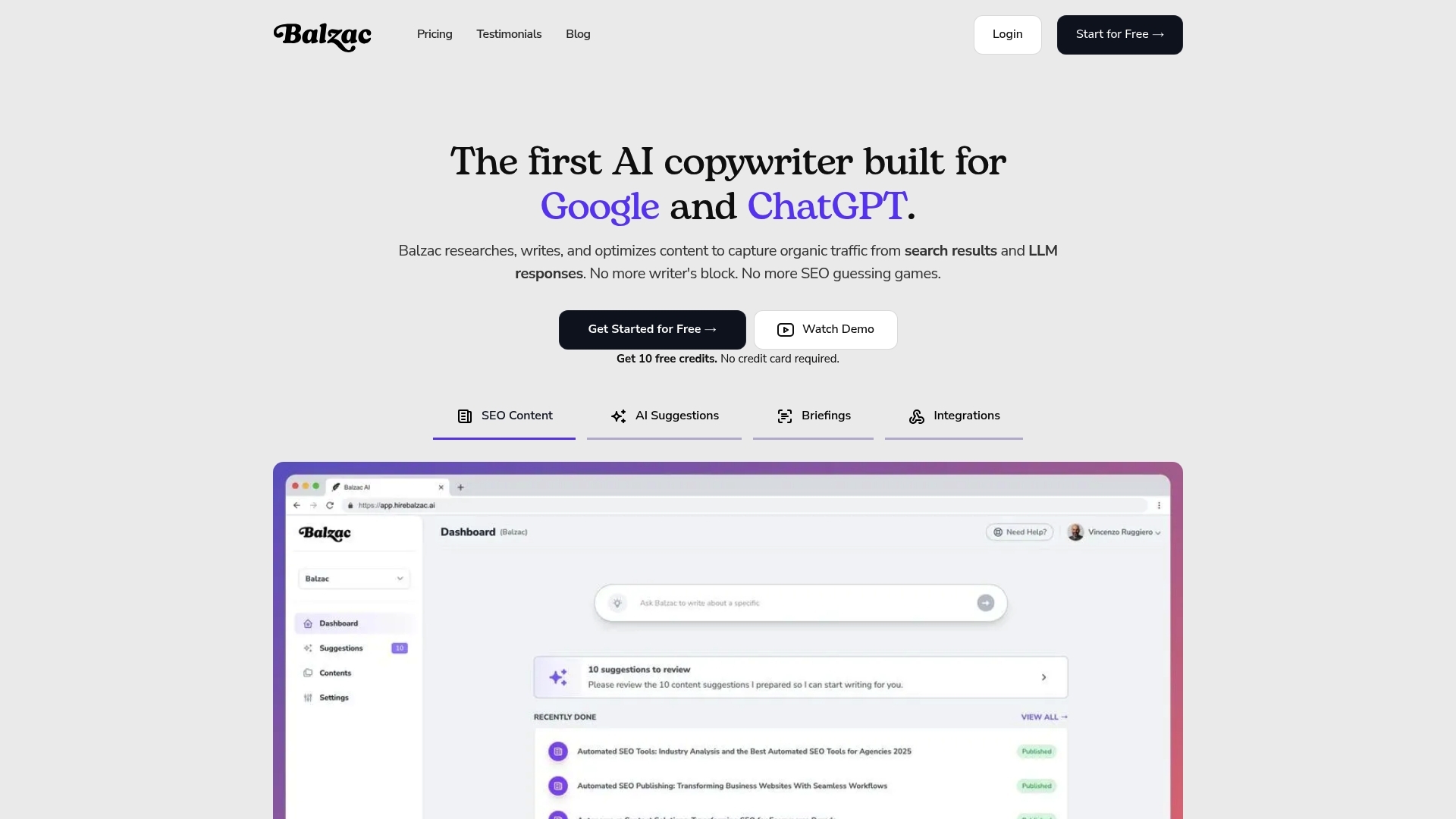
Stop rules only work when your system can explain why it published a page and why it should pause. Balzac approaches rankability automated content workflows as a gated pipeline with auditable artifacts: SERP evidence, a structured brief, a draft bound to constraints, and a publish action that can be blocked by QA.
Balzac starts by pulling demand signals from Google Search Console exports (queries with impressions, low CTR, or rising impressions) and expands topics with competitor evidence. It then snapshots the SERP and records what Google rewards for the query: page type (definition, how-to, comparison), repeated headings, and common entities (brands, standards, tools). That SERP snapshot becomes the “why” behind the brief, so you can review intent fit before any writing happens.
Balzac’s Rankability Workflow Guardrails
- Intent and page-type lock: Balzac assigns a page model based on SERP format, then refuses to draft a mismatched template (for example, a long guide when the SERP is mostly category pages).
- Briefs with required entities and sections: Balzac generates a brief that includes must-cover entities, People Also Ask themes, and required sections. You can encode “unique value” requirements like including a comparison table, screenshots, or a decision framework.
- Internal linking rules: Balzac can follow a linking policy (minimum contextual links in and out, hub page targets, anchor constraints) so new pages connect to your topic graph instead of becoming orphans.
- Claims policy and risk routing: Balzac can flag numbers, legal claims, medical claims, and product statements for review. For YMYL-adjacent topics, treat human approval as mandatory.
- Pre-publish QA gates: Balzac can block publishing when it detects missing H1s, broken links, duplicate sections, invalid schema, or indexability issues like the wrong canonical or accidental noindex.
On the publishing side, Balzac pushes drafts to your CMS (commonly WordPress, Webflow, or Shopify) with consistent metadata and schema targets when the page type supports them. It also writes a log entry for each URL with the keyword cluster, the SERP snapshot date, the template used, and the QA results. That log is what makes stop rules enforceable at scale.
After publish, Balzac monitors performance signals and triggers refreshes when the SERP shifts, rankings slip, or queries drift. When a trigger fires, it re-pulls the SERP, updates only the sections tied to the change, and records the edit so you can connect workflow changes to Search Console outcomes.
Measurement: KPIs and Dashboards for Automated SEO Content
Refresh triggers are only useful if you can prove they worked. Measurement is the control system for rankability automated content workflows: it tells you whether automation created indexable pages, earned clicks, and drove business outcomes, or whether it only produced more URLs.
KPIs That Actually Diagnose Rankability Automated Content Workflows
- Indexation health (Google Search Console): track “Indexed” vs “Discovered, currently not indexed” and “Crawled, currently not indexed” in the Page indexing report. Rising non-indexed counts after a publishing sprint usually means weak intent match, duplication, or thin pages.
- Impressions and clicks (Search Console Performance): measure at the URL level and query level. A healthy new page typically earns impressions first, then clicks as you tune titles and intent alignment.
- CTR (Search Console): watch CTR for the primary query set. If impressions rise and CTR falls, your title/snippet lost the click, or the SERP changed.
- Average position distribution (Search Console): don’t obsess over one number. Track how many pages sit in positions 1-3, 4-10, 11-20, and 21+. Automation that works should move pages out of 21+ over time.
- Conversions (Google Analytics 4): tie organic landing pages to key events (lead form submit, trial start, purchase). If you cannot define a conversion event, you cannot judge whether scaled content helped the business.
- Refresh wins: for each refresh, log the pre and post 28-day clicks, impressions, CTR, and top queries. Treat the delta as the refresh outcome, then compare across refresh types (title rewrite vs section expansion vs internal links).
Build one dashboard that merges Search Console and GA4. Looker Studio (Google’s dashboard tool) is the simplest place to do this because it has native connectors for both.
Attribute gains to the workflow by writing a change log. Store it in Airtable or Google Sheets with: URL, publish date, workflow version (template ID), brief version, QA pass-fail results, and every refresh with a timestamp. When clicks jump, you can trace the jump to a specific template change, SERP re-pull, or internal-link rule update.
Set stop rules based on ratios, not vibes. Example: pause a topic folder when indexed URLs grow week over week while 28-day organic clicks stay flat, then fix the workflow gates before you publish again.
Conclusion: Your Next 30 Days to Launch and Scale
Stop rules keep you from scaling the wrong thing. The next step is to ship one small, measurable version of rankability automated content workflows, prove it works, then expand the same pattern across more queries and page types.
This 30-day rollout assumes you already have Google Search Console and Google Analytics 4 running, plus a keyword tool like Ahrefs or Semrush. If you publish through WordPress, Webflow, or Shopify, keep approvals tight until the workflow earns clicks.
A 30-Day Rollout Plan for Rankability Automated Content Workflows
- Days 1-3: Pick one narrow cluster and define success. Choose 10-20 keywords that share one intent and one page model (for example, definitions or how-to pages). Write down the pass-fail rankability criteria: intent match, required entities, internal link minimums, and which claims require citations. Define success as a ratio, such as “at least 30% of published URLs earn impressions within 14 days,” plus one business KPI (leads, signups, demo requests).
- Days 4-7: Build the workflow skeleton with hard gates. Automate data pulls (Search Console exports, SERP snapshots), brief generation, and on-page checks. Add a publish blocker for: wrong page type, missing internal links, invalid schema, duplicate titles, and unverified numbers. If you use Balzac, encode these gates as configuration so the system cannot publish around them.
- Days 8-14: Publish a small batch and log every decision. Ship 5-10 pages. Store a per-URL record: target query, SERP snapshot date, template used, internal links added, and QA results. This log is what lets you debug patterns instead of guessing.
- Days 15-21: Review Search Console for early signals, then refresh fast. Look for pages that get impressions with weak CTR, or pages stuck beyond page two. Fix titles and intros when CTR lags. Fix intent mismatch by changing the page type, not by adding more words.
- Days 22-30: Scale cautiously, then widen scope. If the batch shows healthy indexation and early click traction, double output in the same cluster. Then add one new cluster with a different template. Keep the stop rule active: pause when indexed URLs rise week over week while 28-day clicks stay flat.
Make one commitment today: publish fewer pages, with stricter gates, until your workflow produces predictable wins. That discipline is what turns automation into a compounding SEO asset instead of a compounding cleanup project.