
If your team can publish 20 pages a month today, “autonomous publishing” marketing AI CMS integration can make 20 feel like 200—without giving an AI the power to rewrite your templates, change URLs, or ship unreviewed claims. The win is simple: content moves through the same pipeline you already trust, but the repetitive work happens automatically.
“Autonomous” also gets misunderstood. It does not mean the agent runs wild in production. It means you define the rules—what the AI can read, what it can write, and which gates it must pass—then the system executes those steps consistently.
This guide is about the integration layer teams usually get wrong: connecting an AI agent to WordPress, Webflow, Contentful, or Shopify so it can create drafts, fill the right CMS fields, respect permissions, and publish without breaking SEO hygiene or governance. You’ll leave with a practical model for choosing an integration approach, a minimum data contract for the CMS, and the guardrails that keep speed from turning into cleanup.
How Does Autonomous Publishing Work End to End?
End-to-end "autonomous publishing" marketing ai cms integration looks like a controlled pipeline: an AI agent plans content from search demand, generates drafts, routes them through approvals, then publishes to WordPress, Webflow, Contentful, or Shopify with the right fields and permissions. The goal is speed without breaking templates, governance, or SEO hygiene.
- Keyword and topic discovery: The agent pulls queries and competitors from sources like Google Search Console (for your existing impressions) and Semrush or Ahrefs (for competitor gaps). It clusters keywords by intent (informational vs commercial) and maps each cluster to a content type (blog post, landing page, help doc).
- Brief creation and guardrails: The agent generates a content brief with target query, secondary terms, internal link targets, required entities, and “must include” sections (pricing, steps, definitions). It also loads your style guide and banned claims list (for regulated industries, this is where you add compliance language).
- Draft generation with citations and assets: The agent writes in your CMS component model, for example headings, FAQ blocks, product callouts, and schema-ready sections. If you require sources, it attaches citations to primary docs such as Google’s documentation for structured data at developers.google.com.
- Human checkpoints (where they matter): Most teams review only two things: brand risk and factual risk. Approvers edit inside Google Docs, Microsoft Word, or directly in the CMS draft, then approve in a ticketing system like Jira or Linear.
- Versioning and traceability: The agent stores a revision ID, prompt or rule set version, and the exact CMS payload. In Git-based sites (Next.js, Gatsby), it opens a pull request. In API-based CMS setups (Contentful, Sanity), it creates a draft entry and waits for publish permission.
- CMS publish and validation: The integration writes only allowed fields (title, slug, body, meta description, canonical, categories, author, featured image). It then validates rendered HTML for broken links, missing H1, duplicate canonicals, and schema errors.
- Post-publish refresh loop: The agent monitors indexing, CTR, and rank movement, then schedules updates. Common triggers include a drop in Google Search Console clicks, a competitor outranking the page, or a product change that invalidates copy.
Where Automation Stops and Governance Starts
Autonomy works when you draw hard boundaries. Keep humans in the loop for legal claims, pricing, and medical or financial advice. Keep the agent responsible for repeatable work: keyword clustering, on-page SEO checks, internal-link suggestions, and CMS-safe publishing actions.
CMS Integration Options: Native Apps vs API vs Headless
Hard boundaries only work if the integration path matches your CMS and your risk tolerance. In practice, “autonomous publishing” marketing AI CMS integration usually lands in one of three patterns: a native app/plugin, a direct API integration, or a headless CMS workflow. Each pattern changes what the agent can touch, how you audit actions, and how quickly you can scale volume.
| Integration Pattern | Best Fit | Strengths | Tradeoffs |
|---|---|---|---|
| Native App / Plugin | WordPress, Shopify, Webflow teams that want fast setup | Quick install, CMS-native UI, familiar roles and drafts | Limited customization, plugin security and update cadence |
| Direct API Integration | Engineering-supported stacks and higher publishing volume | Fine-grained permissions, strong auditability, custom workflows | Build and maintenance effort, rate limits, token management |
| Headless CMS Workflow | Multi-site, multi-language, or omnichannel publishing | Structured content, reusable components, clean separation of content and presentation | More moving parts, preview complexity, requires disciplined content modeling |
How To Choose an Autonomous Publishing Integration Pattern
Native apps/plugins work when you want the AI agent to behave like an editor inside the CMS. WordPress plugins and Shopify apps usually inherit existing roles, draft states, and editorial UI. This is the fastest route to “create draft, route for review, publish,” and it fits smaller teams that publish a few posts per week.
Direct API integrations fit teams that need tighter controls than a plugin can offer. You can scope tokens to specific actions (create post, update meta, upload media) and enforce server-side guardrails before anything hits production. Contentful (a headless CMS) and WordPress REST API are common targets, and you can log every write in your own system for audits and rollbacks.
Headless workflows make sense when content must ship to multiple front ends, like a marketing site, docs site, and in-app help center. The AI writes into structured fields (headline, summary, FAQ blocks, product references) instead of raw HTML, then your build system (Next.js, Gatsby, Nuxt) renders it. This reduces template breakage but raises the bar for content modeling and preview.
Use these selection rules:
- If you lack engineering time, pick a native app/plugin.
- If security and audit logs drive the project, pick direct API integration.
- If you publish across channels or locales, pick headless and model content first.
The Minimum Data Your AI Needs From the CMS (And What It Should Never Touch)
Those selection rules only work if your "autonomous publishing" marketing ai cms integration reads the right CMS data and writes to the smallest possible surface area. Treat the CMS like production infrastructure: give the agent enough context to publish cleanly, then block everything that could break templates, schema, or URLs.
Minimum CMS data an AI needs to generate a safe draft:
- Content model and required fields: post type (blog, docs, landing page), required components (hero, FAQ block), and validation rules (min length, required excerpt).
- Taxonomy options: allowed categories, tags, and any primary category rule.
- Author and attribution: allowed author IDs, byline rules, and default author.
- Media library metadata: image IDs, alt text, captions, and focal point rules (Webflow, Contentful).
- SEO fields: title tag, meta description, canonical URL, robots meta, Open Graph fields, and Twitter card fields (often via Yoast SEO or Rank Math in WordPress).
- Internal linking targets: a read-only list of existing URLs, page titles, and status (published, redirected, noindex) so the agent does not link to dead pages.
- Redirect map: existing 301 rules, so the agent avoids generating slugs that collide with redirects.
Permissions And Boundaries for AI CMS Publishing
Use the least-privilege access model. In WordPress, that usually means an API user that can create and edit posts but cannot install plugins or edit themes. In Contentful, use a Content Management API token scoped to specific spaces and content types. In Sanity, scope tokens to datasets and disallow destructive mutations.
Allow write access to these fields only:
- Title, slug, excerpt, body (or specific blocks), featured image ID, alt text, categories/tags, author ID, publish date, status (draft, scheduled).
- SEO plugin fields you explicitly map (for example, Yoast SEO meta description), plus canonical when your policy permits it.
Block the agent from touching:
- Templates and theme code: WordPress theme files, Webflow Designer settings, Shopify Liquid templates.
- Global components: headers, footers, navigation, reusable symbols, and design tokens.
- Schema generators: sitewide JSON-LD settings and plugin configuration. Let the CMS or plugin render schema, then validate output.
- URL-critical settings: permalink structure, locale routing, and any field that triggers a sitewide re-render.
- Destructive actions: delete, unpublish, bulk edit, and media deletion.
Finally, require a pre-publish validator that checks rendered HTML for a single H1, a non-empty canonical, and no broken internal links. Google Search Central documents canonical and indexing behavior clearly, and it is worth aligning your checks to that guidance at developers.google.com.
Implementation Checklist: Connect Marketing AI to Your CMS in 60 Minutes
A pre-publish validator only helps if your AI can reach the CMS safely. This 60-minute checklist gets you from credentials to a first live post with "autonomous publishing" marketing ai cms integration, without giving an agent the keys to your whole site.
- Pick a single “pilot” content type. Choose one blog post template or one help-article model. Freeze layout components, schema blocks, and required fields so the AI writes into a stable shape.
- Create a dedicated CMS user. In WordPress, create a new user with the lowest role that can create drafts. In Contentful, create an API key limited to one space and environment. In Shopify, create a custom app with only the scopes needed for blogs and articles.
- Scope permissions to draft-first. Allow: create draft, update draft, upload media to a specific folder, read categories/tags, read internal link targets. Block: theme edits, plugin installs, template changes, user management, navigation menus, redirects, and global SEO settings.
- Generate credentials and store them correctly. Use a password manager like 1Password or Bitwarden for humans. Put API tokens in AWS Secrets Manager, Google Secret Manager, or HashiCorp Vault for services. Set an expiration policy where your CMS supports it.
- Define the exact fields the AI may write. Typical allowlist: title, slug, body (or structured blocks), excerpt, meta title, meta description, canonical, author, publish date, category/tag IDs, featured image, image alt text.
- Wire a preview step. Require a rendered preview URL for every draft. For headless stacks, use your preview environment (Next.js Preview Mode, Vercel Preview Deployments, or Netlify Deploy Previews) so editors review the real page output.
- Add automated validation before publish. Check for a single H1, non-empty canonical, indexable status, and no broken internal links. If you validate schema, run a Structured Data check using Google’s tooling at Rich Results Test.
- Set one human approval gate. Pick the system your team already uses, for example Jira, Linear, or GitHub pull requests. The AI can propose and draft, a human approves publish.
- Publish one post, then verify in Search Console. Confirm the live URL returns 200, the canonical matches what you intended, and the page is indexable. Use Google Search Console URL Inspection to request indexing and catch blocked resources.
- Log everything for rollback. Store: CMS entry ID, revision ID, who approved, timestamp, and the exact payload. Make rollback a single action: revert to previous revision or unpublish.
60-Minute Timebox (What to Skip for the First Run)
Skip multilingual, programmatic internal-link automation, and bulk publishing. Get one clean draft to preview, validate, approve, and publish. After that, scale volume by tightening the allowlist and expanding templates, not by widening permissions.
Quality Control That Scales: Brand Voice, SEO Rules, and Guardrails
Least-privilege permissions keep your CMS safe. Quality control keeps your rankings and brand safe. In practice, "autonomous publishing" marketing ai cms integration succeeds or fails on the checks you run before the agent can change a URL, a claim, or a title tag.
Make quality gates machine-enforceable. A PDF style guide and a vague “write like us” prompt will not hold up when you publish at volume.
Pre-Publish Guardrails for Autonomous Publishing Marketing AI CMS Integration
Use a single pre-publish validator that runs on every draft, whether it lands in WordPress, Webflow, Contentful, or Shopify. Treat the validator output as a pass or fail, not “suggestions.”
- Brand voice rules: enforce reading level range, banned phrases, capitalization rules, and preferred product naming. Store this as a versioned rule set (for example, in GitHub) so you can trace which rules produced which draft.
- SERP intent fit: require the draft to match the dominant format on page 1 (definition, list, comparison, template, or how-to). Pull the top results with Semrush or Ahrefs and check required sections against your brief.
- Factuality checks: block uncited statistics, pricing, legal claims, medical advice, and “studies show” language. If you need citations, require links to primary sources such as Google Search Central documentation or official vendor docs. Google’s guidance on structured data is a good baseline for what you can safely encode on-page: developers.google.com.
- On-page SEO minimums: exactly one H1, a title tag within your limit, a meta description present, a single canonical URL, and noindex rules applied only when your policy says so. Validate canonicals against Google’s duplicate URL guidance: developers.google.com.
- Link and media hygiene: check internal links against a read-only URL inventory, reject 4xx and 5xx targets, and require alt text for every image. If your CMS uses component blocks, validate that required blocks exist and that the agent did not inject raw HTML into structured fields.
Put humans where automation still fails: claims and tone. Many teams run a two-step approval: an editor approves voice and structure, then a subject-matter owner approves product accuracy. Tools like Jira or Linear work well because they leave an audit trail and make “who approved what” unambiguous.
If you use an autonomous agent like Balzac, configure it to stop at “draft ready” when any gate fails, then regenerate from the same brief after you fix the rule set. This keeps your workflow fast without teaching the system that failing checks is acceptable.
The Contrarian Rule: Start With Updating Old Pages, Not Publishing New Ones
When an autonomous agent fails a gate, you regenerate a draft. When a new page fails in production, you inherit a long tail of cleanup: redirects, cannibalization, and wasted crawl. That is why the fastest path for "autonomous publishing" marketing ai cms integration is an update-first rollout. Old pages already have URLs, backlinks, impressions, internal links, and often a history of ranking. You are improving an asset instead of betting on a new one.
Updating also reduces integration risk. Your AI only needs to edit specific sections, keep the slug stable, and preserve template blocks. That fits the least-privilege model from earlier sections.
How to Choose Pages for Update-First Autonomous Publishing
Pick pages where a refresh can move the needle quickly, then expand once your guardrails hold.
- High impressions, low CTR: Use Google Search Console to find pages with lots of impressions but weak click-through rate. These often need title tags, meta descriptions, and a sharper intro that matches intent.
- Rank 4 to 15 queries: Pages sitting just off the top spots often respond to better topical coverage, clearer headings, and stronger internal links.
- Decayed performers: Compare the last 28 days vs the previous 28 days in Search Console. If clicks dropped and the page targets an important query, refresh it before you publish anything new.
- Conversion-adjacent pages: Blog posts that feed product signups, demo requests, or email capture. Improving these pages compounds into revenue faster than “net new” content.
Avoid pages with unstable requirements: active legal review, frequent pricing changes, or heavy UI dependencies (interactive tools, calculators) until your process is proven.
Refresh in small, auditable edits:
- Rewrite the opening 150 to 250 words to match the dominant SERP intent.
- Add missing entity coverage (brands, standards, tools) that top-ranking pages include.
- Update outdated steps, screenshots, and product names, then add a “last updated” note if your editorial policy allows it.
- Improve internal links using an allowlisted set of live URLs, keep anchors descriptive, and do not invent destinations.
Measure lift with a simple before-and-after window. Track Search Console clicks, impressions, average position, and CTR for the page and its primary queries. In Google Analytics 4, track engaged sessions and conversions attributed to that URL. If the page improves within 2 to 6 weeks, you have evidence your autonomous publishing marketing AI CMS integration can scale safely, starting with the inventory you already own.
Balzac: An Autonomous SEO Agent Built for Publishing Automation
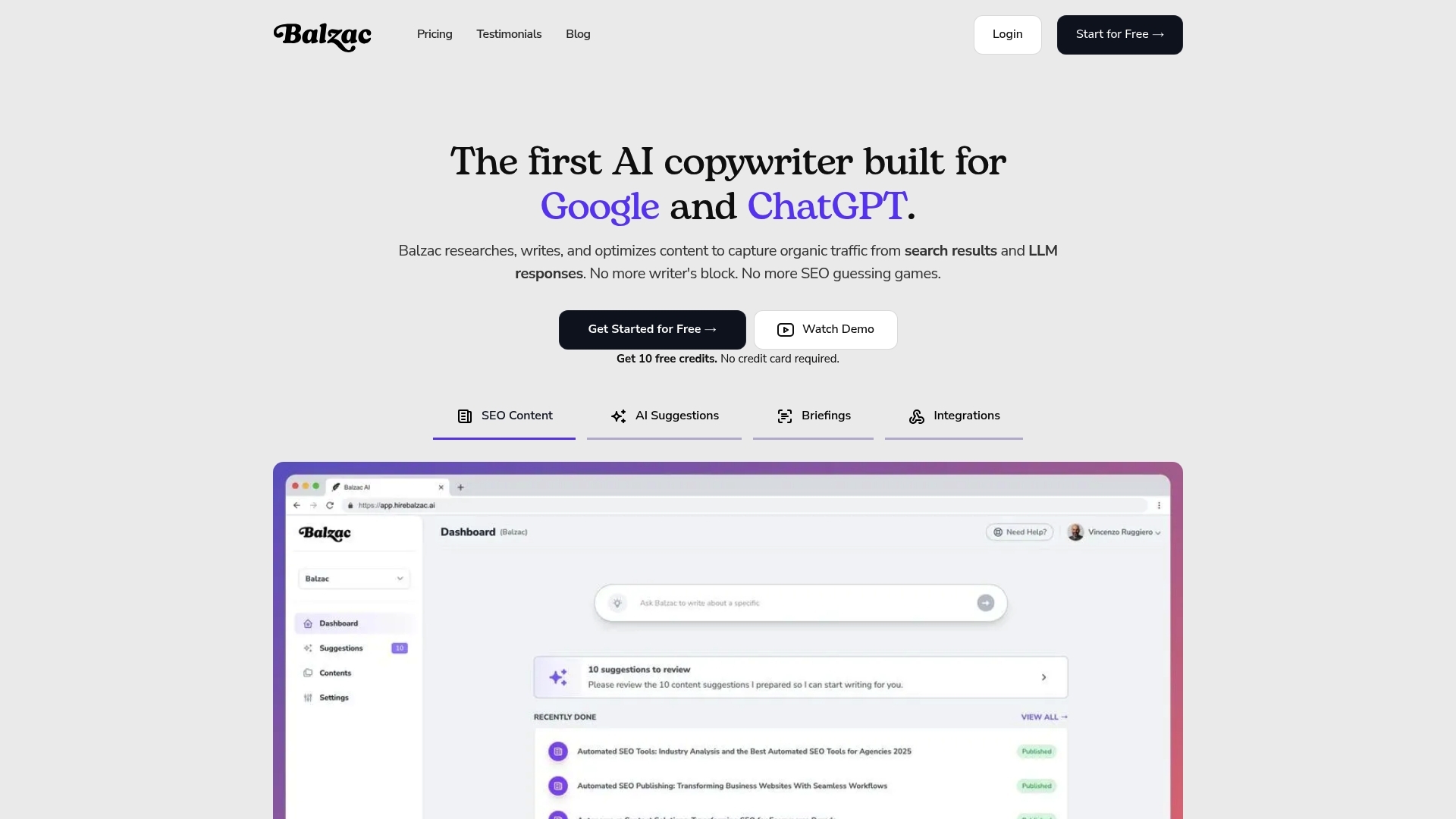
If you want lift in 2 to 6 weeks, your system has to ship pages that match intent, pass validators, and land in the CMS cleanly. Balzac is built for that exact loop: "autonomous publishing" marketing ai cms integration where an agent can plan, write, and publish while staying inside strict brand and SEO boundaries.
Balzac works like an autonomous SEO operator with a publish button that is gated by rules. It turns search demand into a prioritized backlog, generates a draft that fits your content model, then pushes the draft into your CMS using the integration pattern you choose (native-style behavior where available, or API-first where you need tighter control).
How Balzac Publishes Without Breaking Your CMS or SEO Hygiene
Balzac stays reliable by treating the CMS as a controlled surface area, not a blank canvas. It reads what it needs (content type requirements, taxonomy options, existing URLs for internal links) and writes only allowlisted fields (title, slug, body or blocks, excerpt, meta description, canonical when permitted, categories/tags, author, featured image, alt text, status).
In a typical workflow, Balzac runs these steps:
- Topic selection from real demand: It uses inputs like Google Search Console queries and competitor gaps from Semrush or Ahrefs to pick targets that can win.
- Brief plus constraints: It applies your style rules, required entities, and banned claims list before it writes a single paragraph.
- Draft generation in your structure: It produces headings, FAQs, and sections that map to your template, instead of dumping unstructured text.
- Pre-publish checks: It verifies basics like one H1, indexable status, canonical presence, and internal link validity against your URL inventory.
- CMS write and audit trail: It creates a draft entry, attaches metadata, and logs the CMS entry ID and revision so you can roll back.
The guardrails matter more than the writing model. Balzac should stop at draft when a validator fails, when a page needs legal review, or when the CMS payload would touch blocked areas like templates, navigation, redirects, or global schema settings.
For teams running autonomous publishing at volume, this agent-plus-guardrails pattern is the practical path: you get speed from automation, and you keep control through permissions, allowlists, and approval gates.
What Should You Measure After Integration? (KPIs and Failure Signals)
Guardrails and permissions tell you what the system can do. Measurement tells you whether your "autonomous publishing" marketing ai cms integration is creating business value or quietly shipping content that Google ignores.
Track performance at three levels: page outcomes, pipeline health, and revenue impact. If you only watch rankings, you will miss the common failure mode where the CMS publishes cleanly but the content fails to earn clicks or conversions.
KPIs That Prove ROI After Autonomous Publishing Marketing AI CMS Integration
- Indexing rate and time to index: In Google Search Console, monitor how many published URLs become indexed, and how long it takes. A rising count of “Discovered, currently not indexed” is a red flag for quality, duplication, or crawl budget.
- Impressions, clicks, and CTR by query: Use Search Console Performance reports to separate “we rank” from “we get clicked.” CTR often lifts faster than position when you improve titles, intros, and intent match.
- Average position for the primary query set: Track the page’s main keyword cluster (not a single term). Tools like Semrush (an SEO suite) or Ahrefs (a backlink and keyword tool) help you monitor clusters at scale.
- Organic landing page engagement: In Google Analytics 4, watch engaged sessions, scroll depth (if instrumented), and key events for the URLs the agent touches.
- Conversions attributed to organic landing pages: Count signups, demo requests, purchases, or leads that start on the published page, then compare against your baseline before automation.
Set a simple reporting cadence: weekly for indexing and CTR, monthly for conversions. Autonomous systems move fast, but revenue attribution needs enough time to stabilize.
Failure Signals That Mean Automation Is Drifting
- Cannibalization spikes: Multiple pages start ranking for the same query set, and both lose position. You will see this in Search Console when impressions split across similar URLs.
- CTR drops while impressions hold: The page still shows up, but the snippet fails. Titles drift off-brand, intros miss intent, or competitors add richer formats.
- Indexing stalls: New or refreshed URLs remain unindexed, or indexed pages fall into “Crawled, currently not indexed.” Treat this as a quality gate failure, not a publishing success.
- Template or metadata regressions: Sudden increases in missing canonicals, duplicate titles, or incorrect robots directives. Catch this with automated crawls using Screaming Frog SEO Spider or Sitebulb.
- Conversion rate dilution: Organic traffic rises, but signups or leads per session fall. The agent may be targeting informational intent that never connects to your product.
When you see drift, pause bulk publishing and force the agent back to draft-only. Fix the rule set, then re-run on a small batch of pages until the metrics recover.
Frequently Asked Questions About Autonomous Publishing and CMS Integration
Most teams discover their real questions after the first drift event, when they force the agent back to draft-only and tighten rules. These FAQs cover the decisions that keep "autonomous publishing" marketing ai cms integration safe in production: security, approvals, multi-site, multilingual, and ownership.
Security, Permissions, and Auditability
How do we keep the AI from breaking the site? Use least-privilege credentials and an allowlist. Give the agent permission to create and edit drafts for specific content types, plus read-only access to URL inventories and taxonomies. Block theme/template changes, navigation, redirects, plugin installs, and destructive actions (delete, unpublish, bulk edit).
What is the safest authentication model? Prefer short-lived tokens issued server-side, stored in AWS Secrets Manager, Google Secret Manager, or HashiCorp Vault. Avoid long-lived personal access tokens sitting in a laptop environment variable.
Do we need an audit log? Yes. Log the CMS entry ID, revision ID, approver, timestamp, and the exact payload written. If your CMS supports version history (WordPress revisions, Contentful entry versions), keep it enabled and test rollback on day one.
Approvals and Governance
Where should human approval happen? Put the approval gate outside the model. Use a system with traceability such as Jira, Linear, or GitHub pull requests. The agent creates a draft and attaches a preview URL, a human approves publish, the integration executes the publish.
Who approves what in regulated industries? Marketing approves intent and positioning. A subject-matter owner approves product accuracy. Legal or compliance approves claims, disclaimers, and any medical, financial, or employment guidance. If you cannot name an accountable approver, keep the agent at draft-only for that content type.
Multi-Site and Multilingual Publishing
Can one agent publish to multiple sites? Yes, if you separate credentials per site and per environment. Treat each WordPress instance, Webflow site, Contentful space, or Shopify store as a different blast radius. Use distinct tokens, distinct allowlists, and distinct validators.
How should we handle multilingual? Start with one locale and one template. Then add locales with explicit rules for hreflang, localized slugs, and translation workflow. Many teams use a translation system like Lokalise or Smartling and publish translated entries back into Contentful, Sanity, or WordPress. Keep internal links locale-aware so English pages do not link into French paths by accident.
Ownership and Operations
Who owns the integration long term? Marketing owns the content rules and acceptance criteria. Engineering owns credentials, secrets, and API reliability. Editorial owns QA, voice, and publish readiness. Put a single person on point for incident response when the validator fails or Search Console metrics drift.
What is the next step if we want to start this week? Pick one existing page with steady impressions in Google Search Console, force the agent to update only two sections, run your validator, and ship through a single approval gate. If that works twice in a row, you have earned the right to scale volume.